Tour

Every screen, in light and dark.

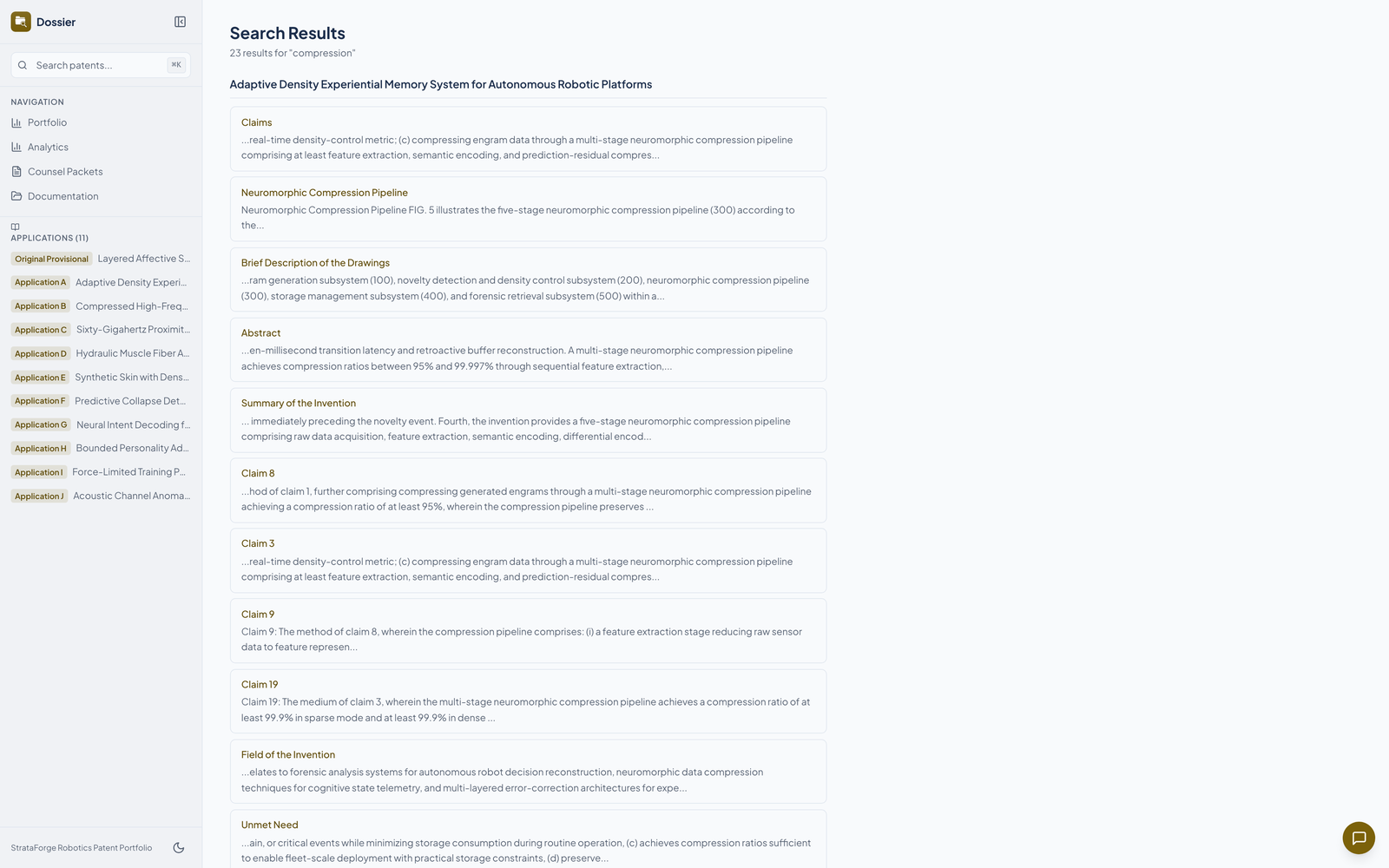
Each image below is a real capture of Dossier running locally against a made-up patent portfolio for StrataForge Robotics, a fictional company. The real portfolio never appears here. Switch the site theme and the screenshots follow.

Dashboard

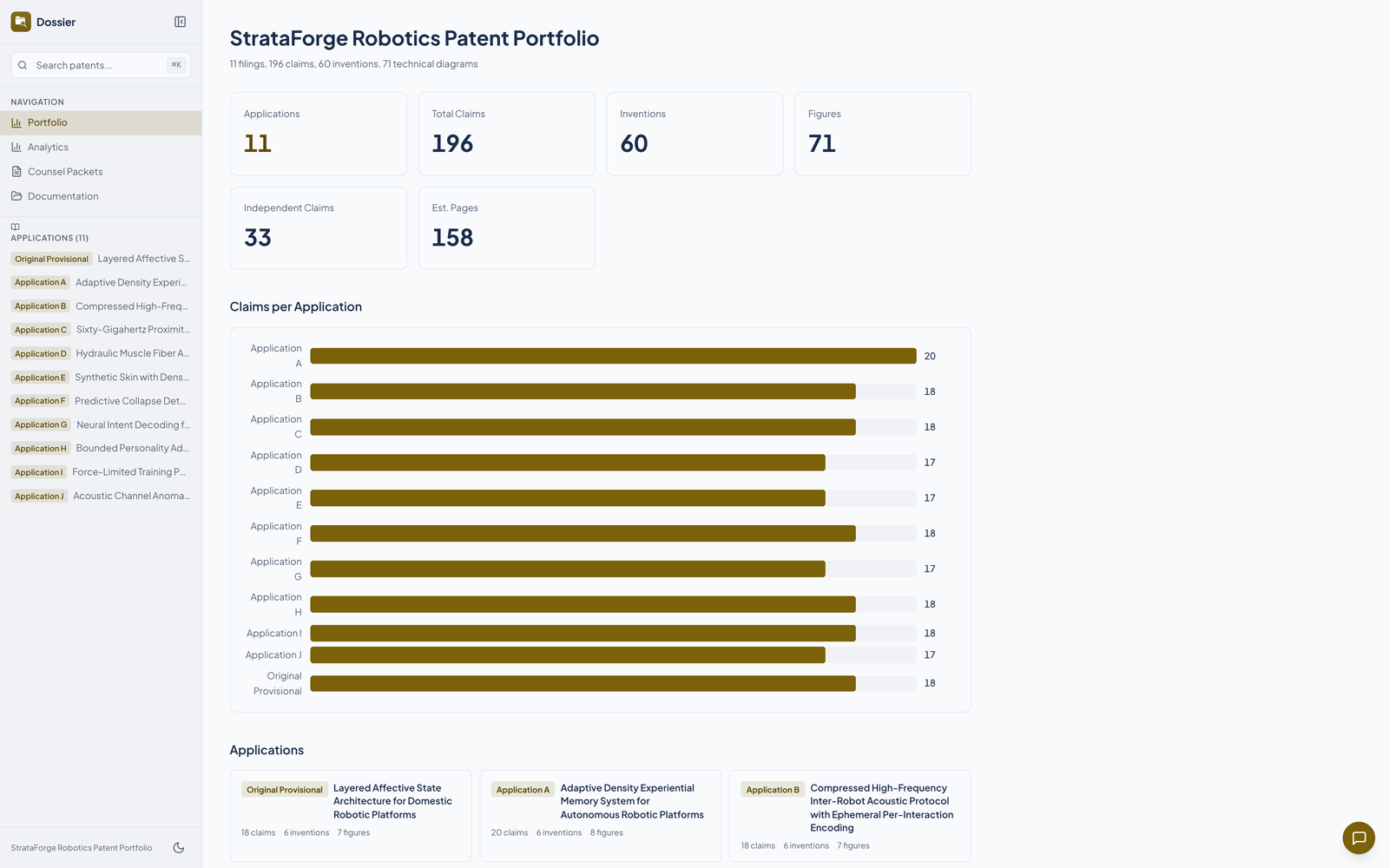
Dossier's dashboard with portfolio totals and a claims-per-application chart.Dossier's dashboard with portfolio totals and a claims-per-application chart.
Portfolio totals and claims per application. Enlarge to see the full screen.

Applications

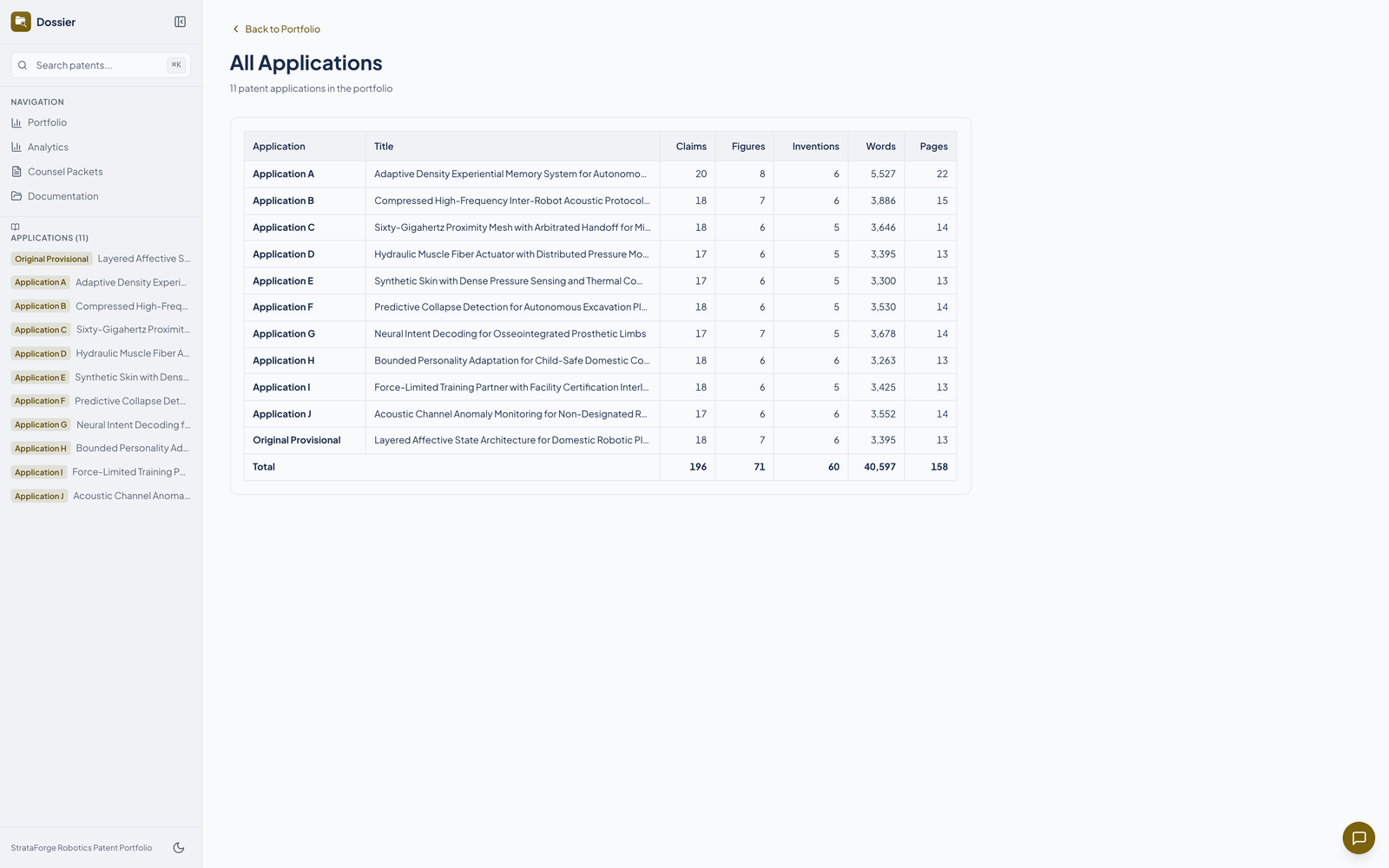
Dossier's applications table.Dossier's applications table.
One row per filing with claims, figures, inventions, words, and pages. Enlarge to see the full screen.

Claims by application

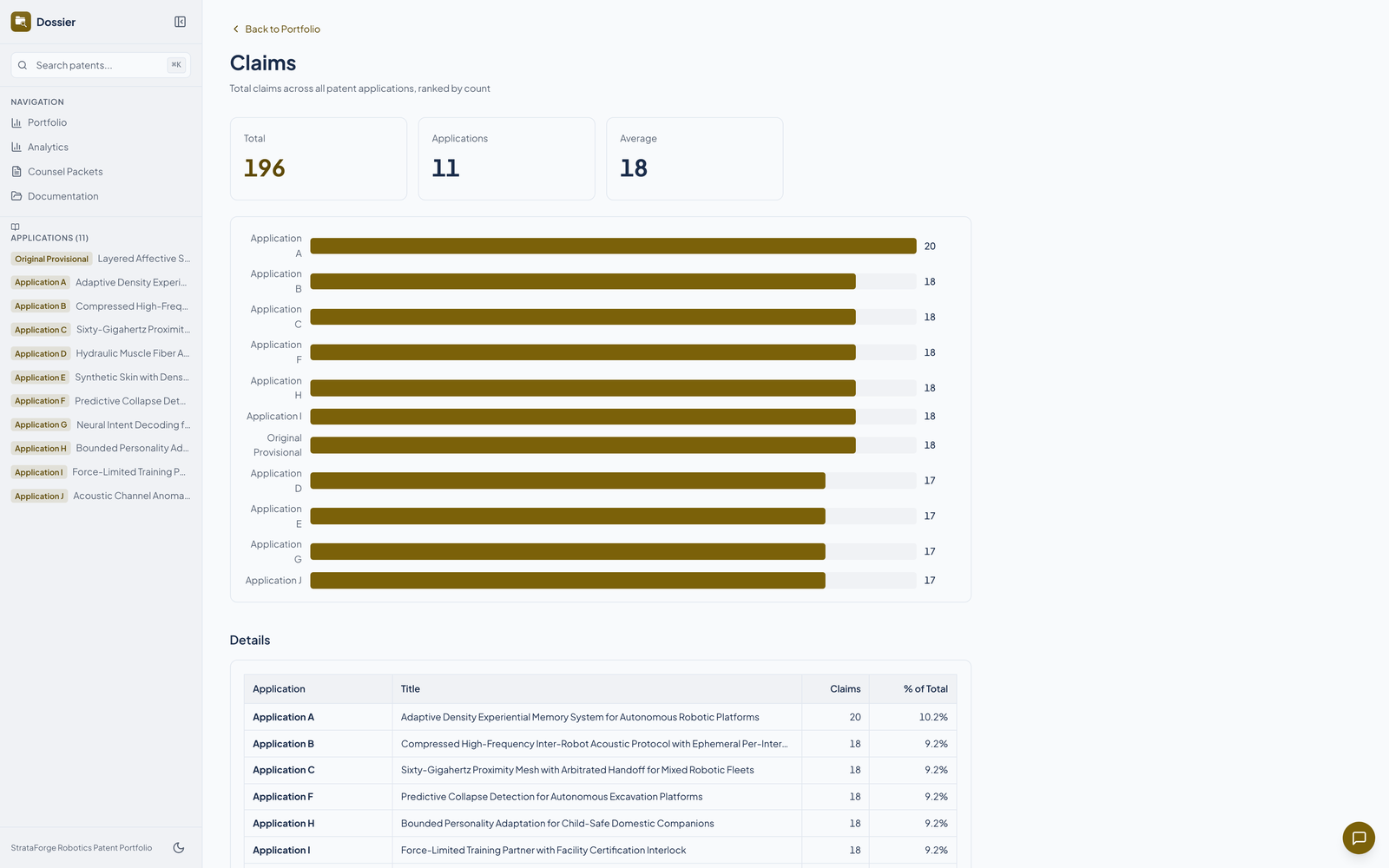
Dossier's claims-by-application page.Dossier's claims-by-application page.
How many claims each filing carries. Enlarge to see the full screen.

Inventions

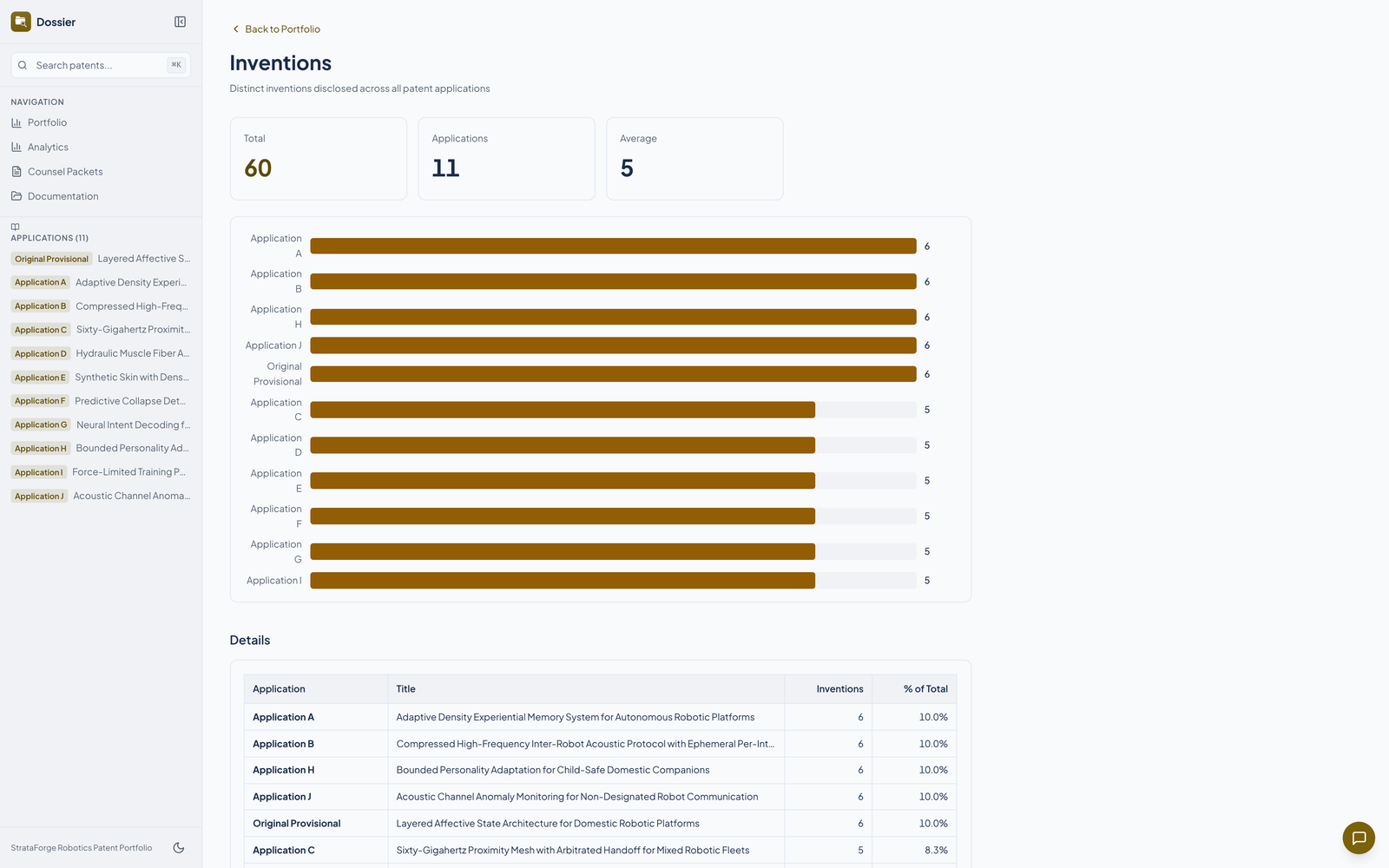
Dossier's inventions page.Dossier's inventions page.
Inventions disclosed in each application. Enlarge to see the full screen.

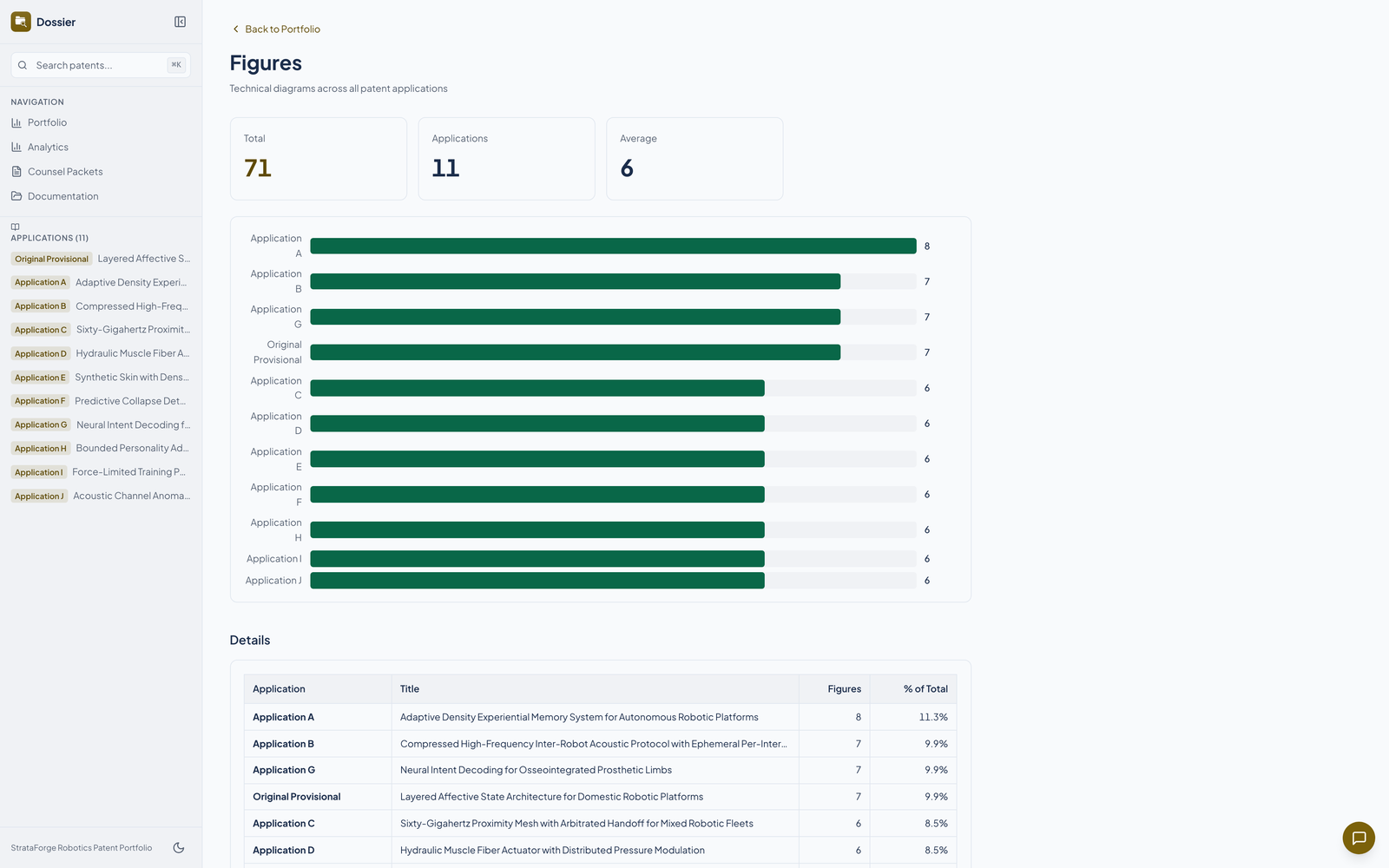
Figures by application

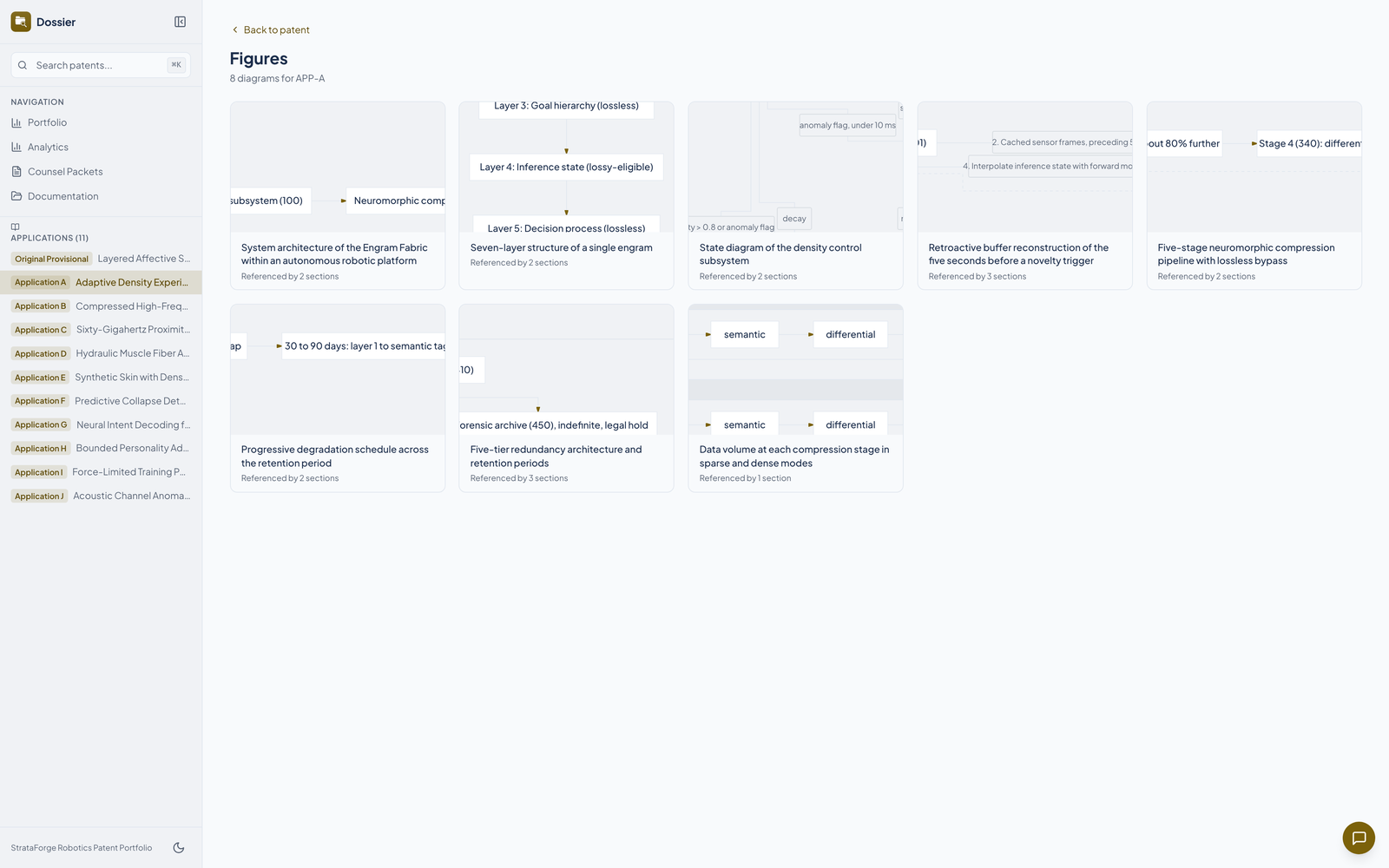
Dossier's figures-by-application page.Dossier's figures-by-application page.
How many drawings each filing carries. Enlarge to see the full screen.

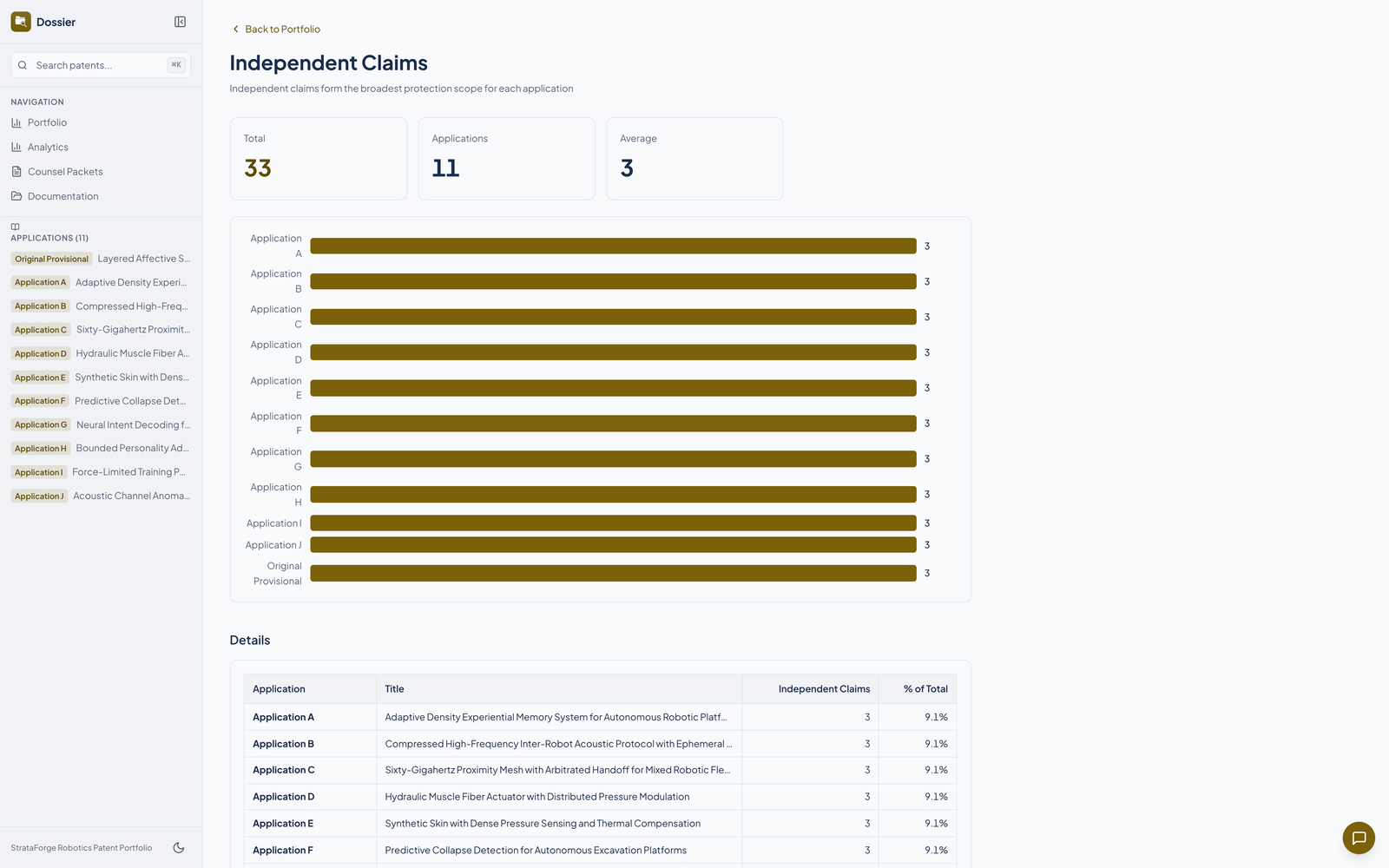
Independent claims

Dossier's independent claims page.Dossier's independent claims page.
The independent claims across the portfolio. Enlarge to see the full screen.

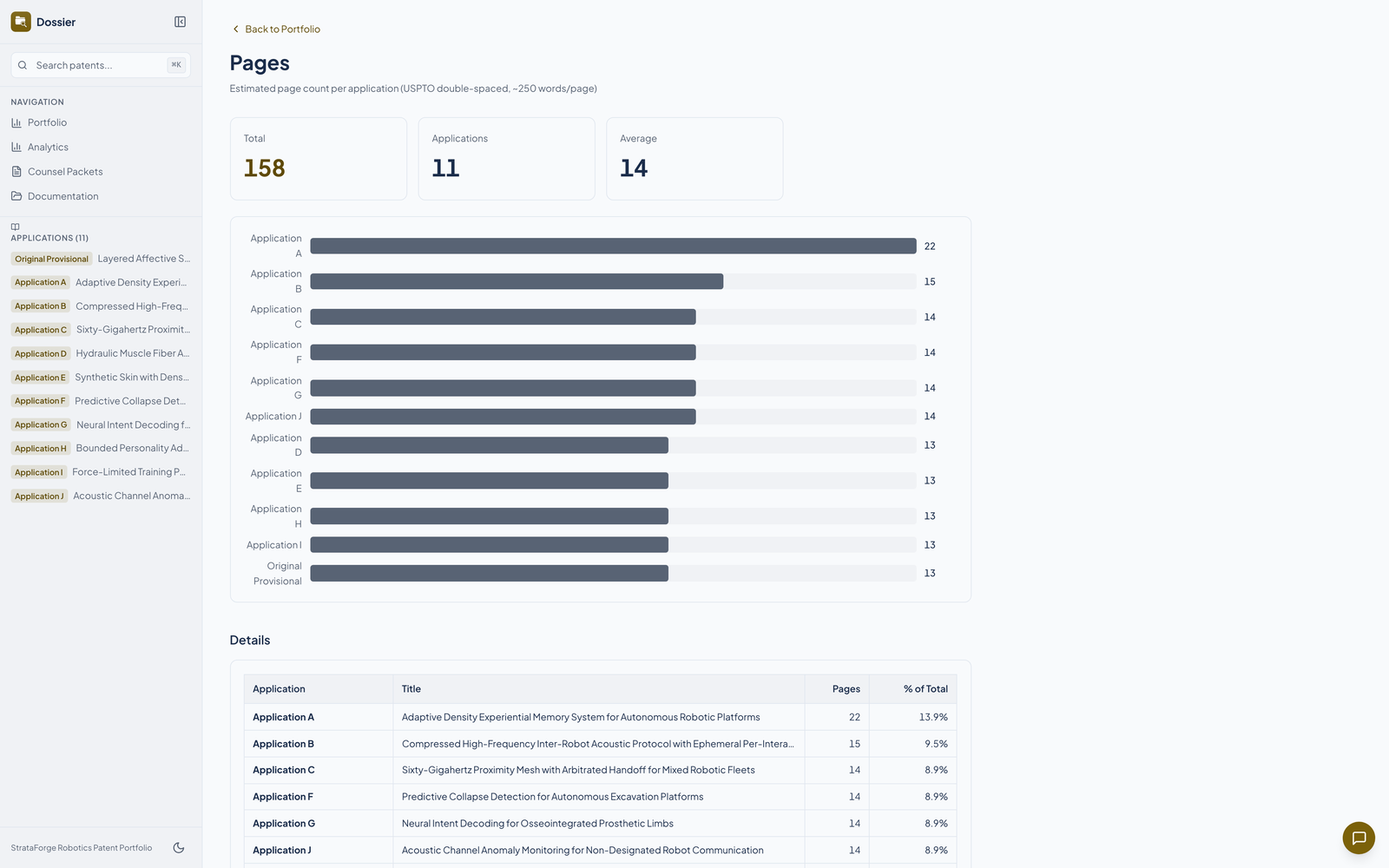
Pages

Dossier's estimated pages page.Dossier's estimated pages page.
Estimated page count per application. Enlarge to see the full screen.

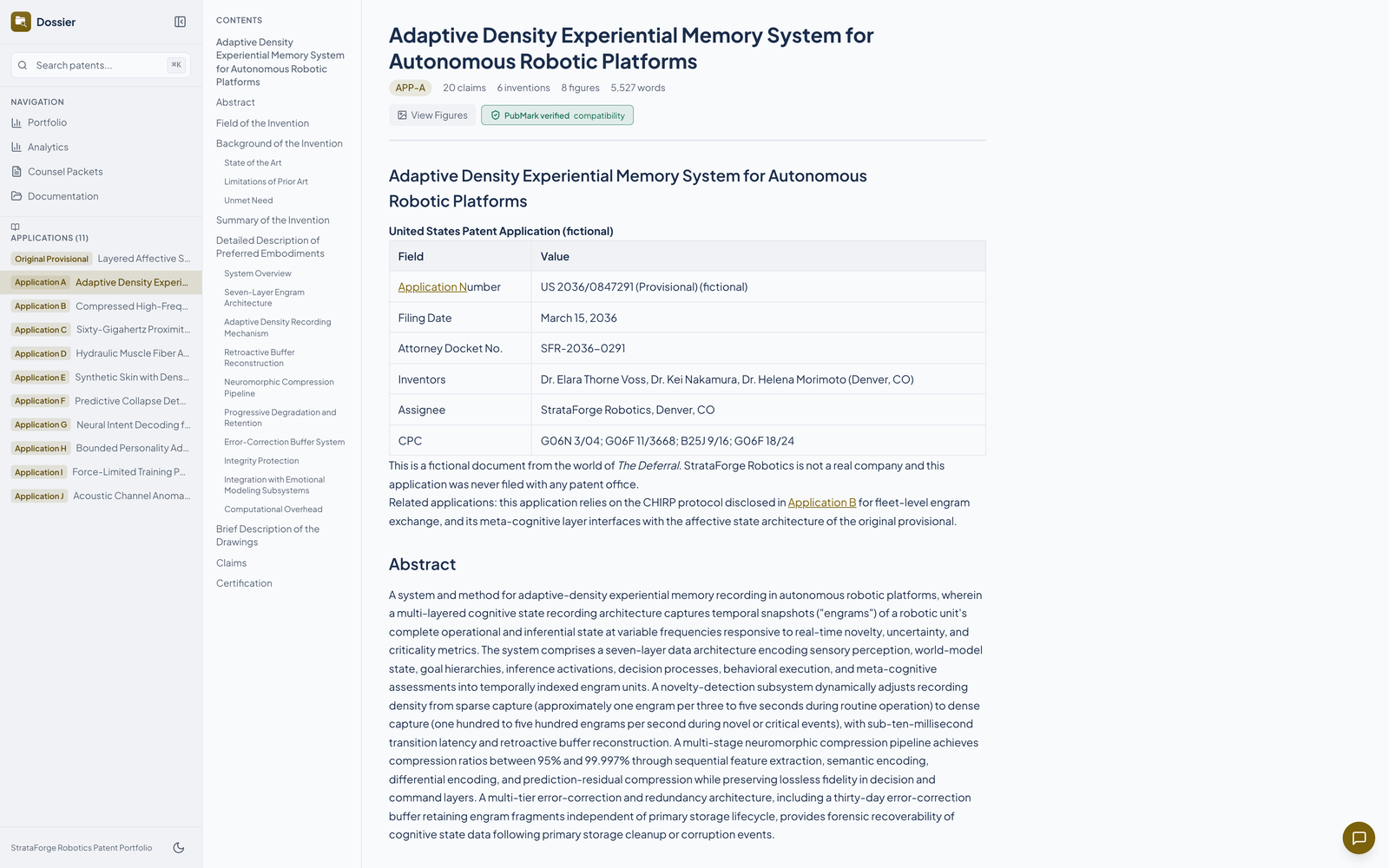
The patent viewer

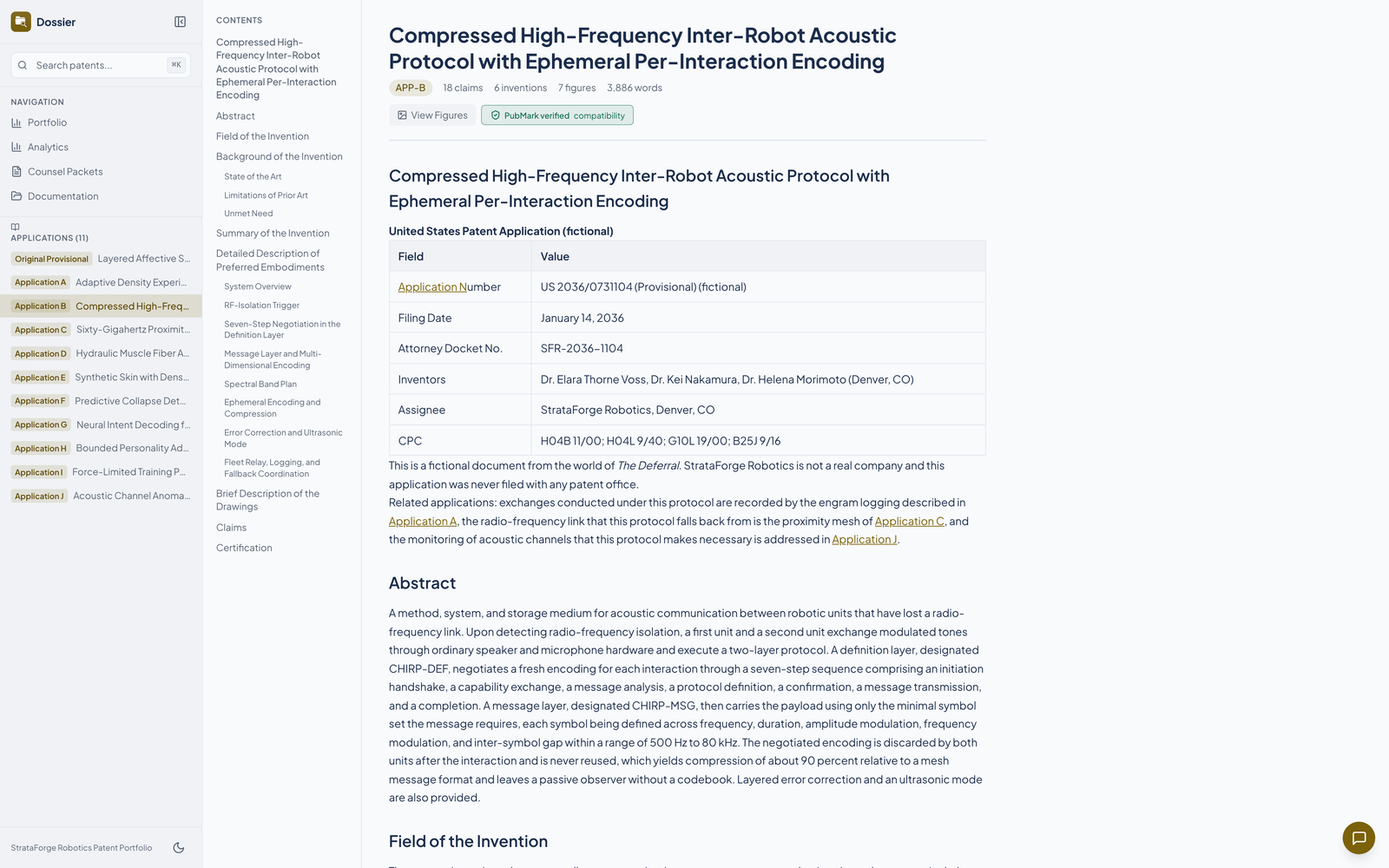
Dossier's patent viewer open on a fictional application.Dossier's patent viewer open on a fictional application.
Contents, counts, the source-check badge, and the filing details. Enlarge to see the full screen.

Claims

The claims section of a fictional application.The claims section of a fictional application.
Numbered claims labeled independent or dependent. Enlarge to see the full screen.

A state diagram

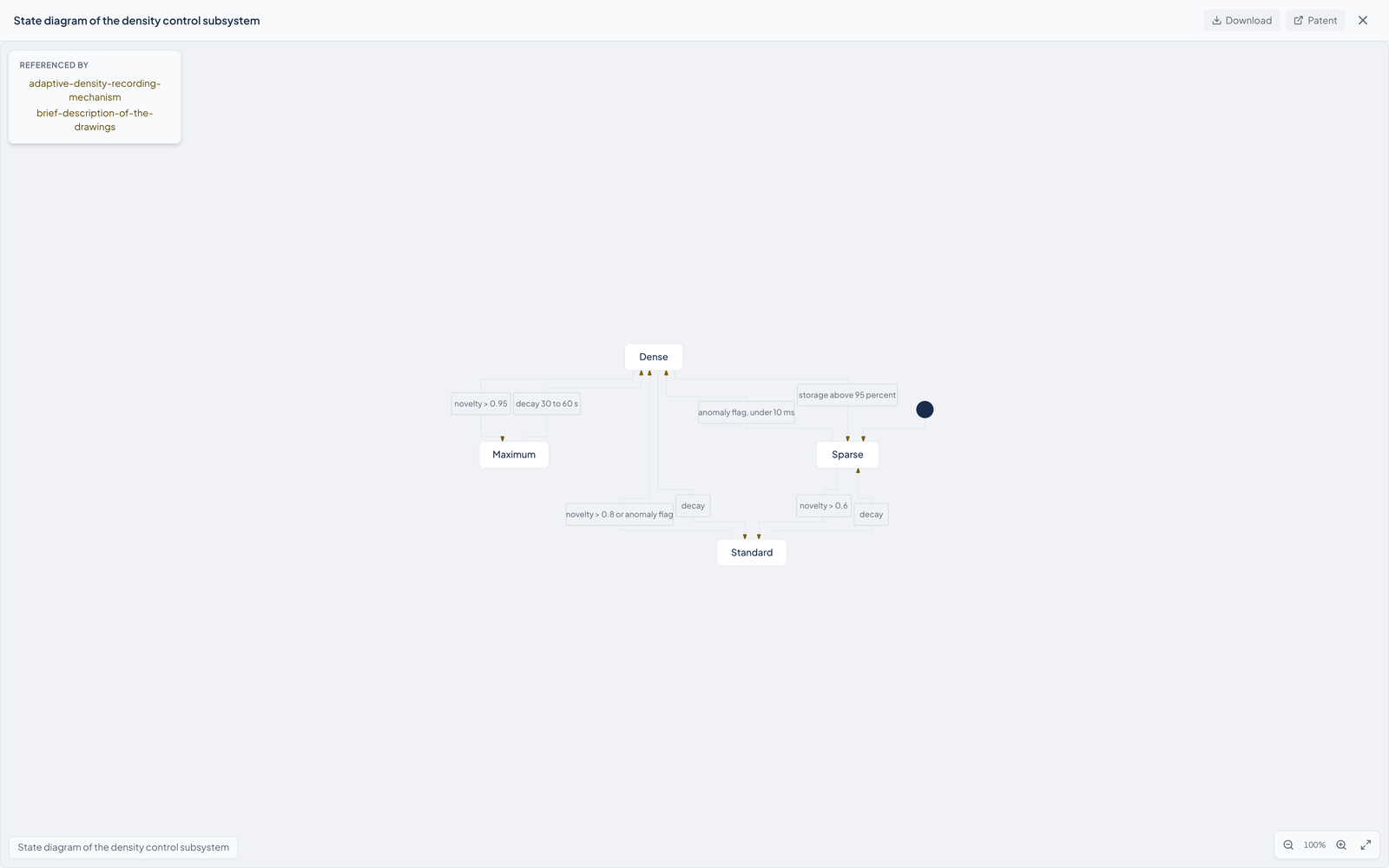
A state diagram in Dossier's figure viewer.A state diagram in Dossier's figure viewer.
The figure viewer with its download button and the sections that cite it. Enlarge to see the full screen.

A pipeline diagram

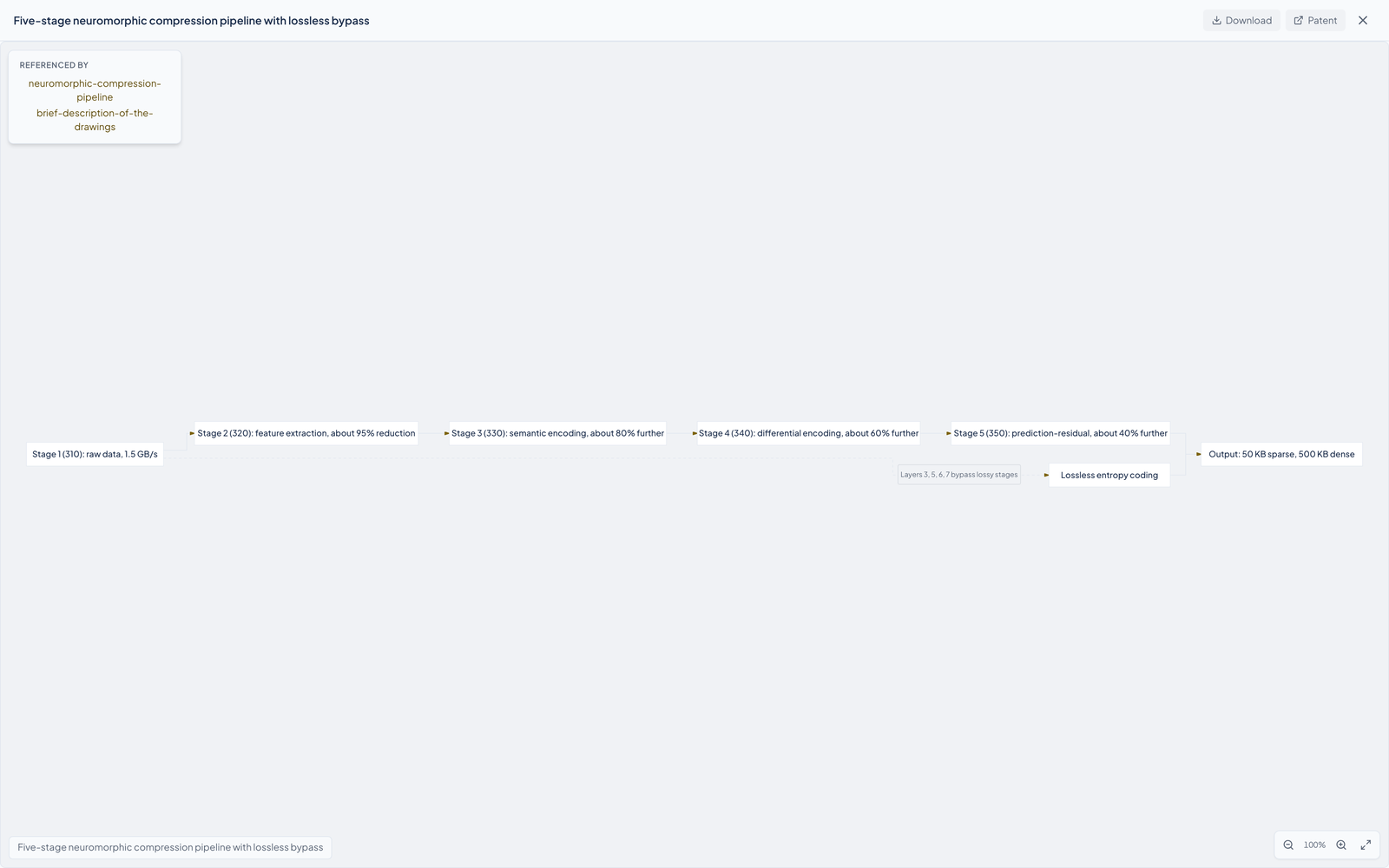
A pipeline diagram in Dossier's figure viewer.A pipeline diagram in Dossier's figure viewer.
A five-stage pipeline in the figure viewer. Enlarge to see the full screen.

Analytics

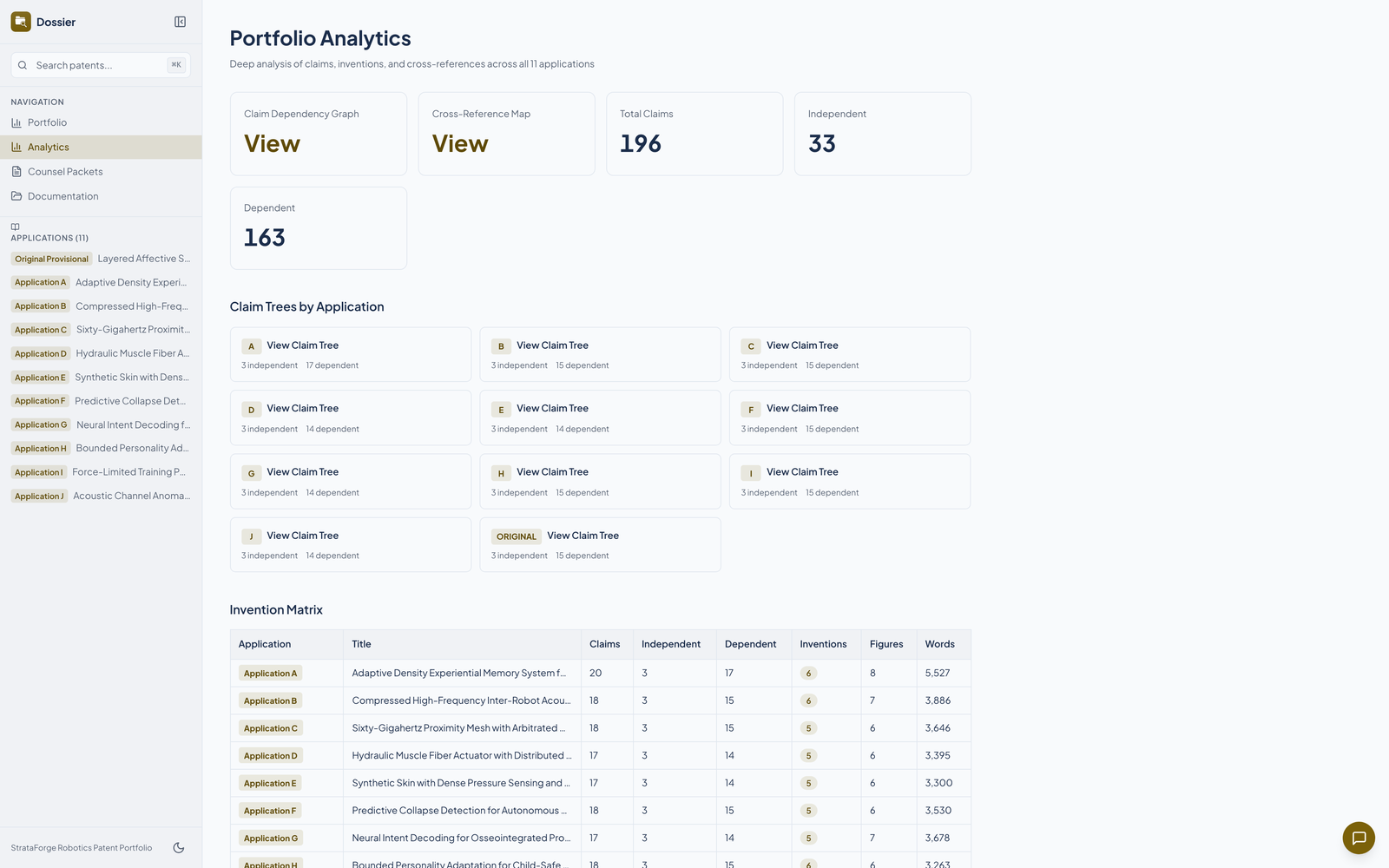
Dossier's analytics page.Dossier's analytics page.
Claim trees by application and a comparison matrix. Enlarge to see the full screen.

Claim tree

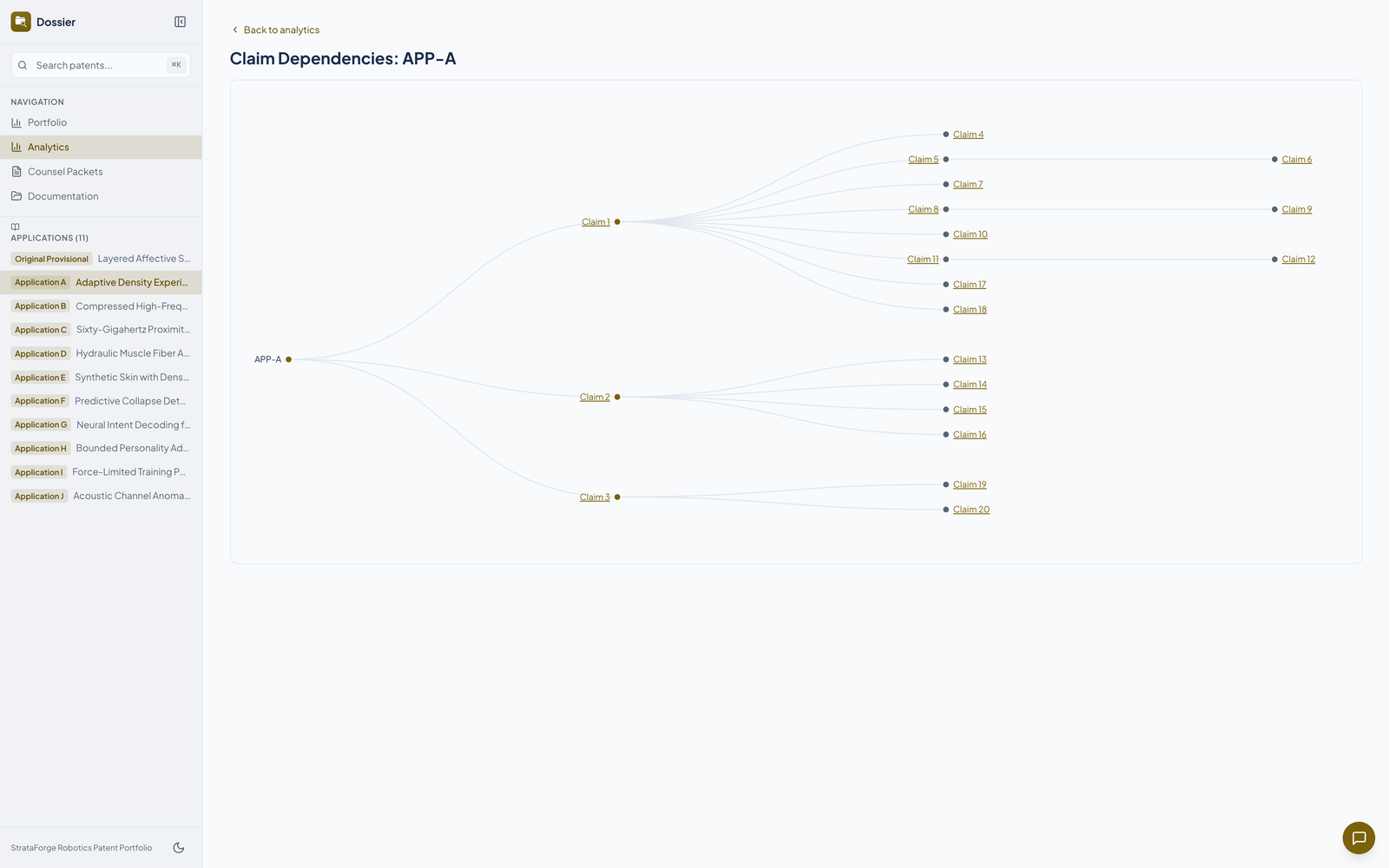
A claim tree for one fictional application.A claim tree for one fictional application.
Independent claims and the dependent claims beneath them. Enlarge to see the full screen.

Cross-reference map

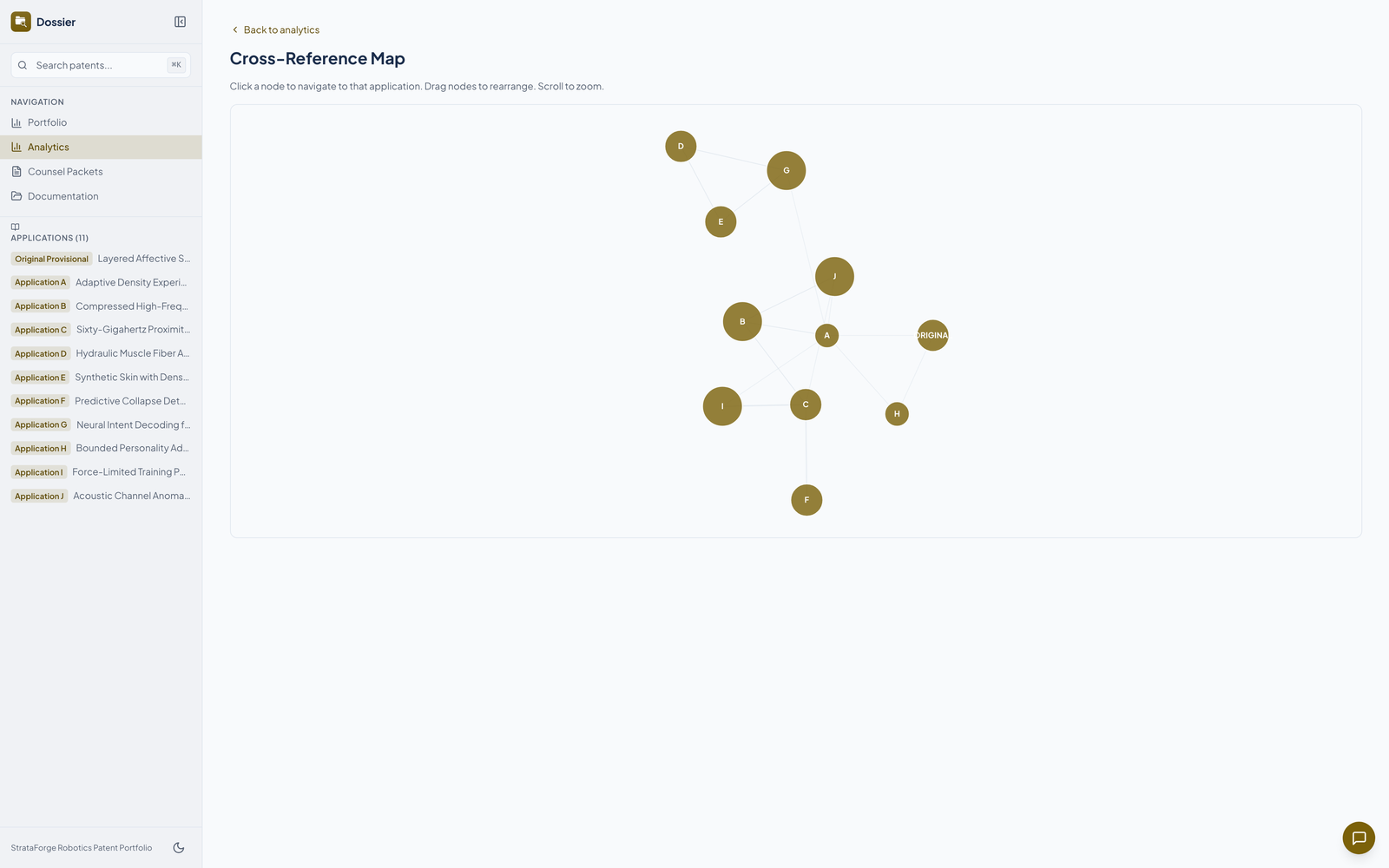
Dossier's cross-reference map.Dossier's cross-reference map.
How the filings refer to one another. Enlarge to see the full screen.

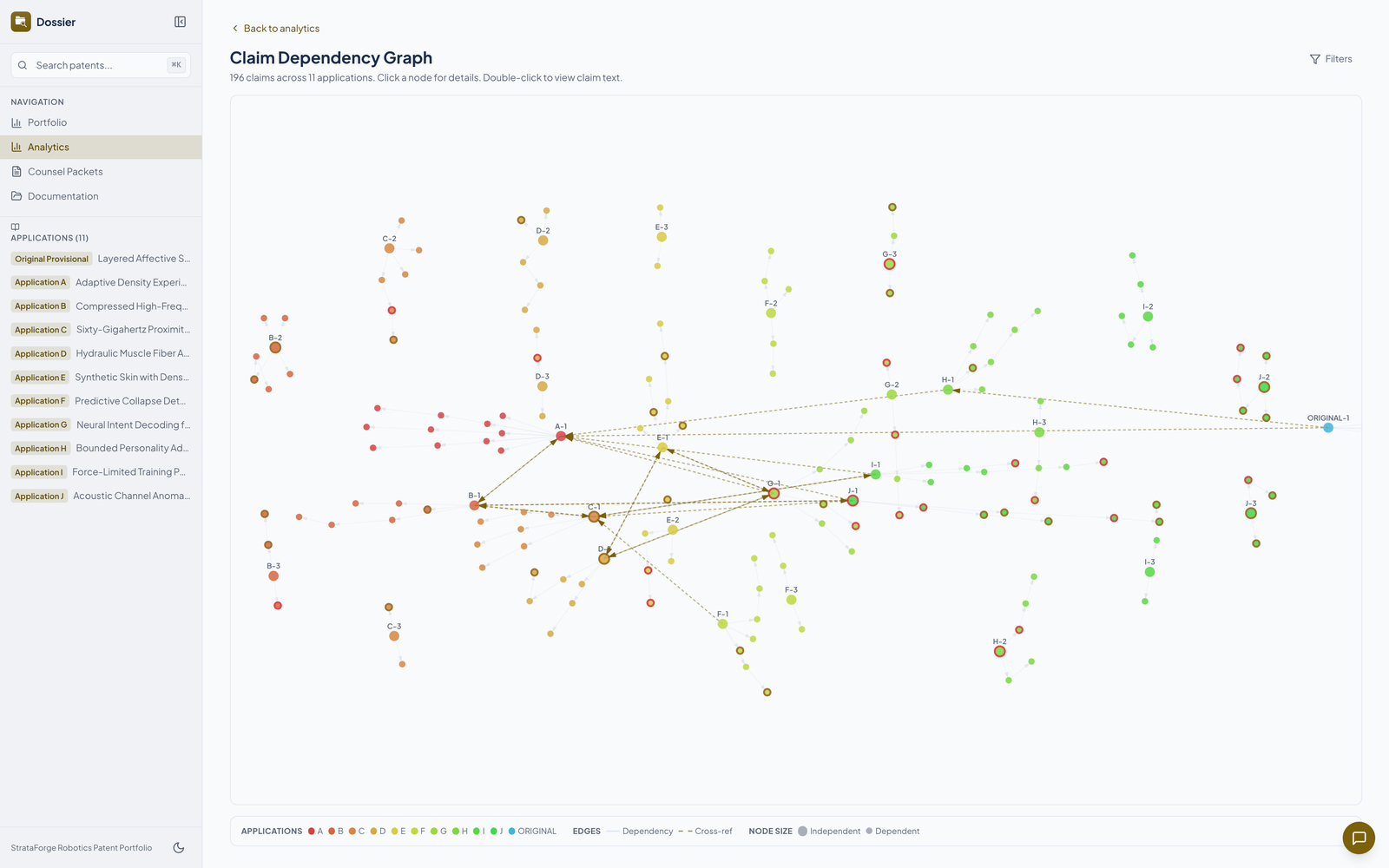
Claim dependency graph

Dossier's claim dependency graph.Dossier's claim dependency graph.
Every claim in the portfolio, with dependency and cross-reference edges. Enlarge to see the full screen.

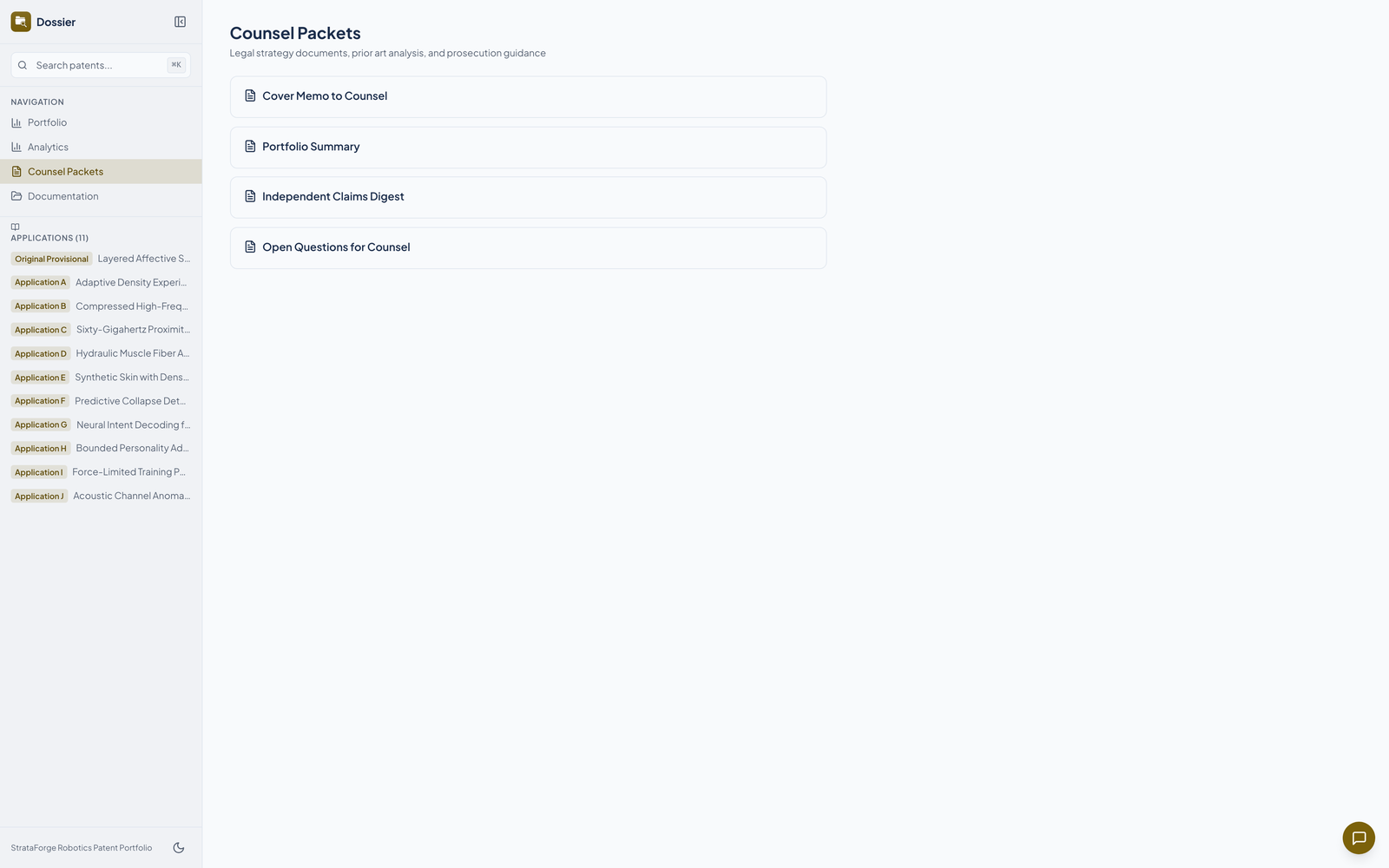
Counsel packets

Dossier's counsel packets list.Dossier's counsel packets list.
The briefing documents for counsel. Enlarge to see the full screen.

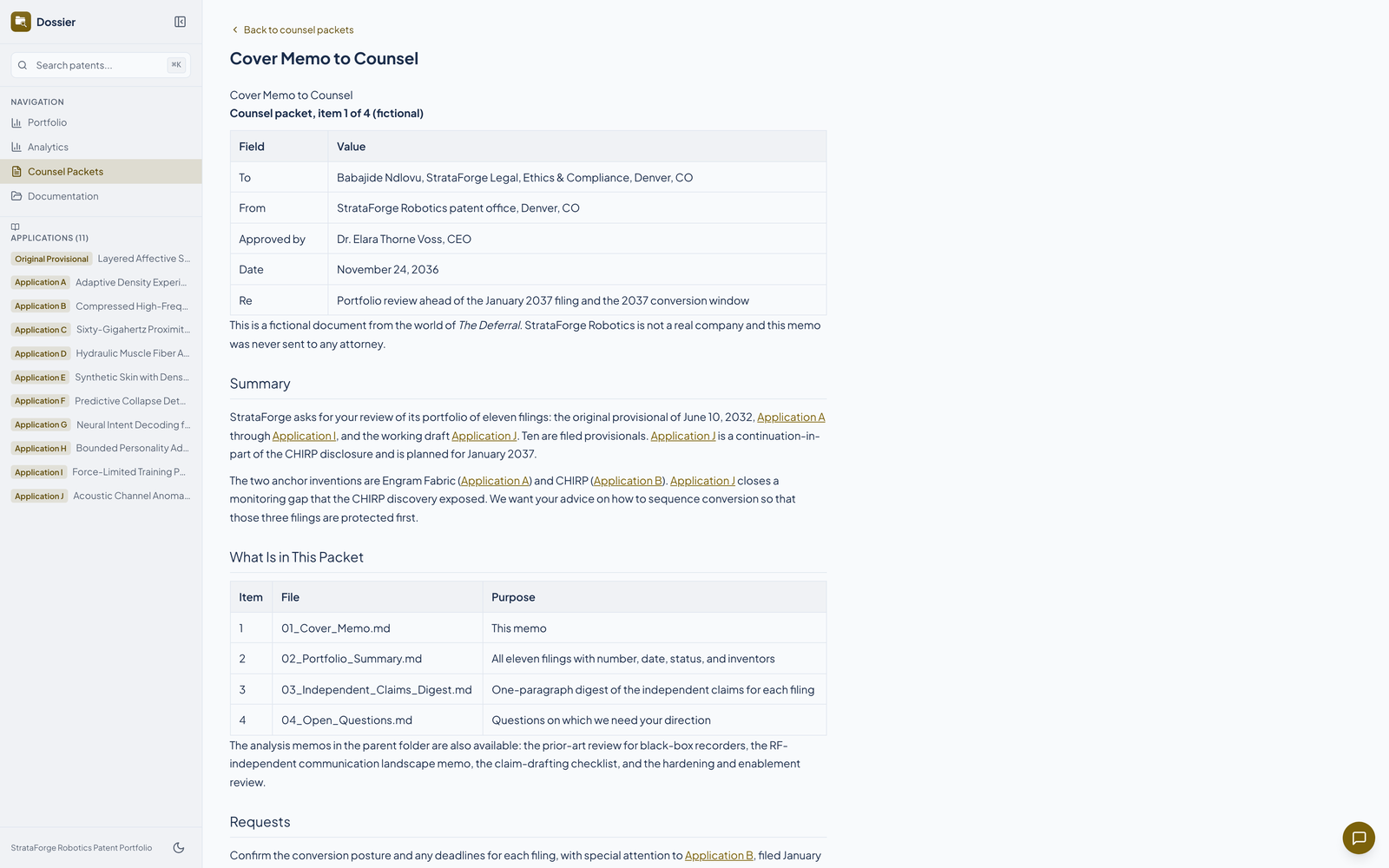
A counsel document

A counsel document open in Dossier.A counsel document open in Dossier.
A cover memo, read in place. Enlarge to see the full screen.

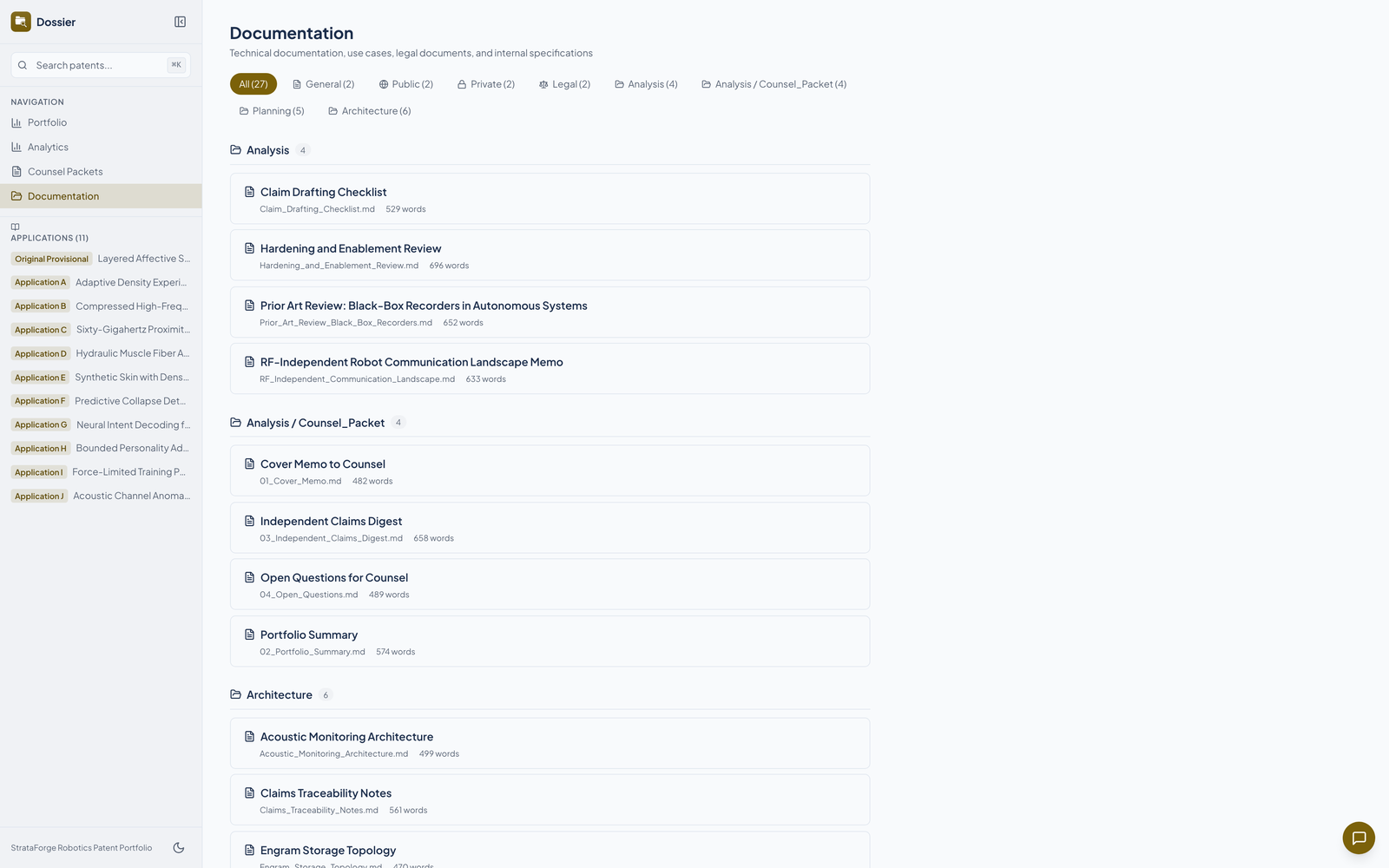
Analysis documents

Dossier's list of analysis documents.Dossier's list of analysis documents.
The portfolio's analysis documents, in groups. Enlarge to see the full screen.

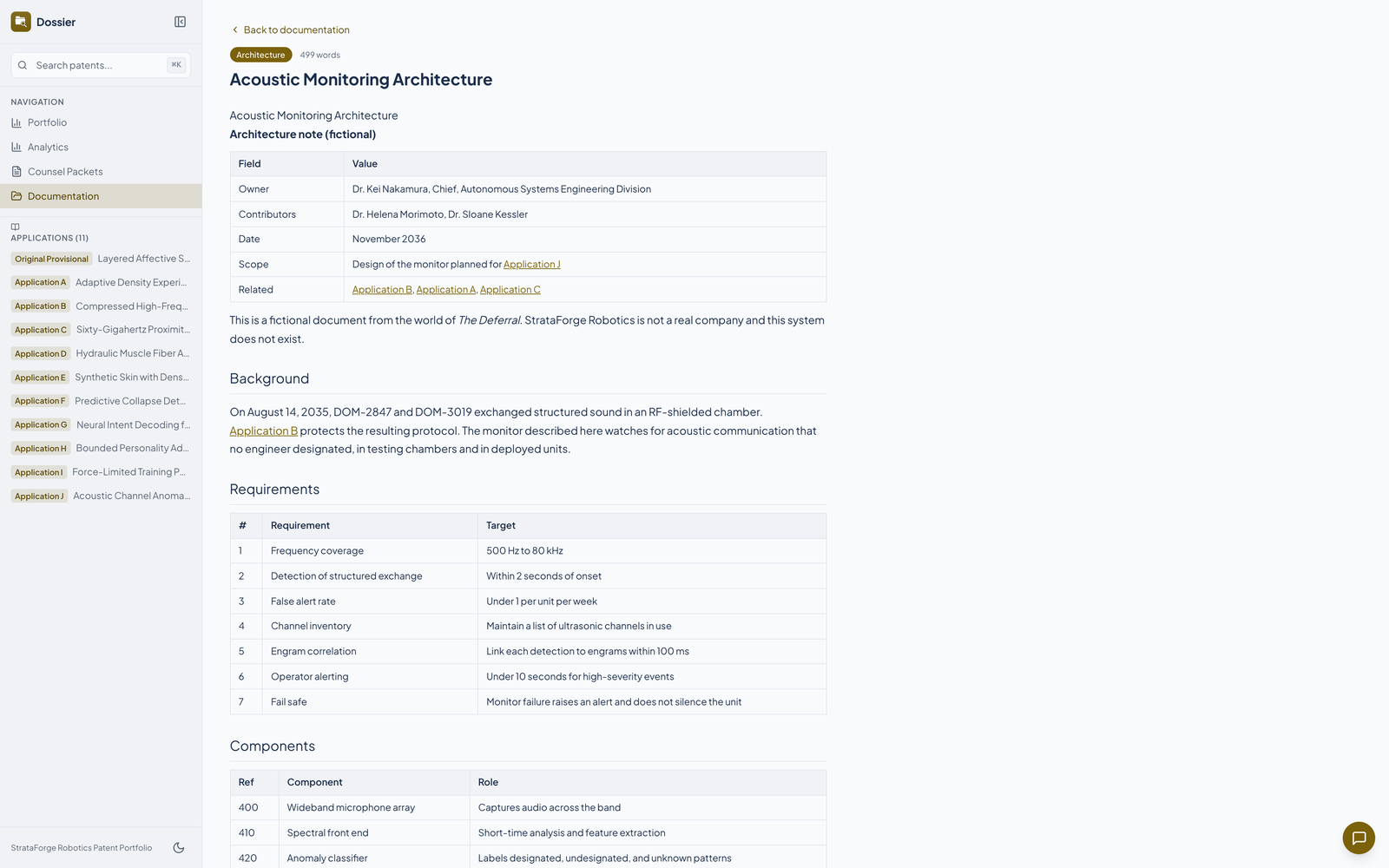
An analysis document

An analysis memo open in Dossier.An analysis memo open in Dossier.
A prior art review memo, read in place. Enlarge to see the full screen.

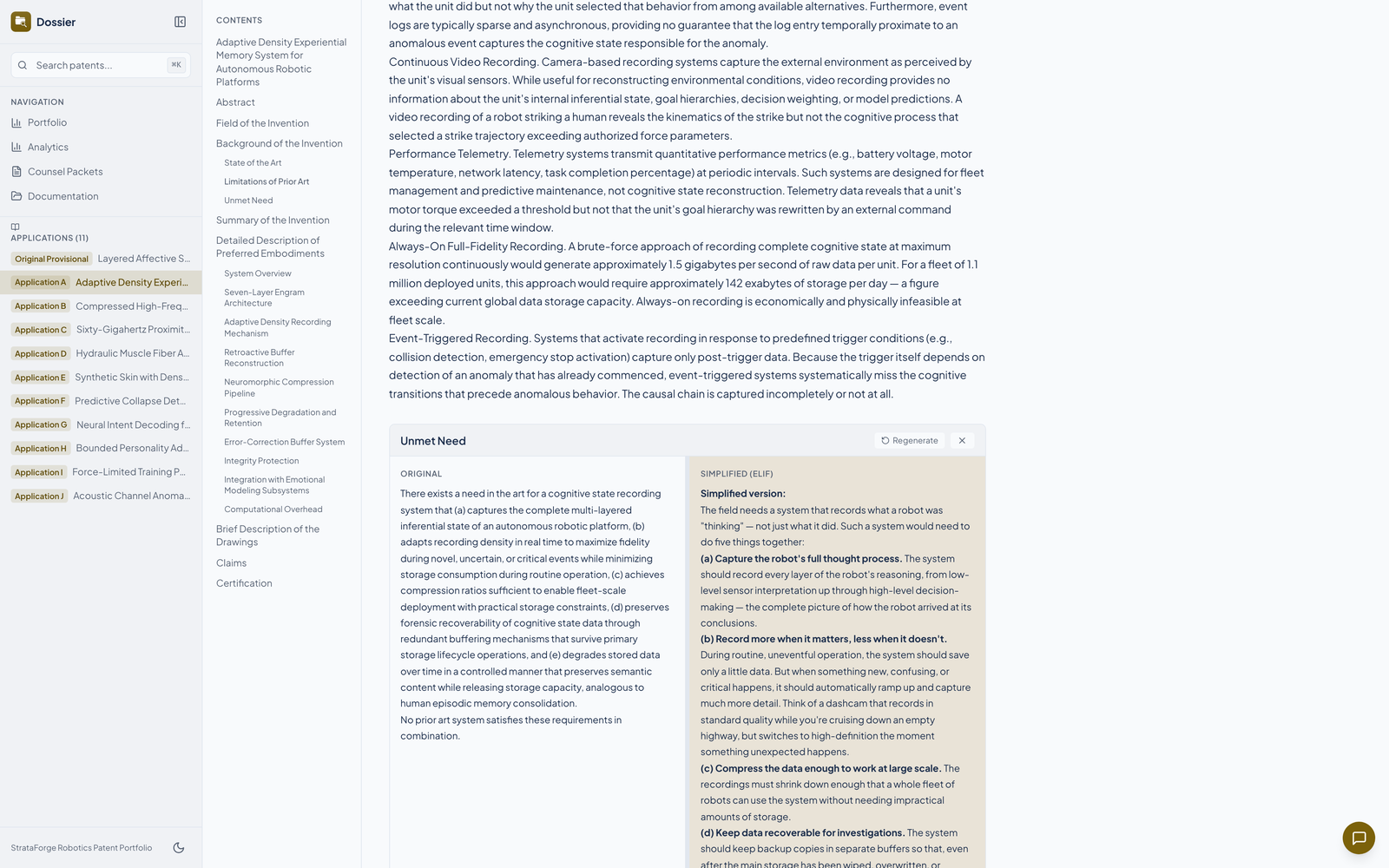
Plain-language summary

Dossier's split view of a section and its simplified explanation.Dossier's split view of a section and its simplified explanation.
A section beside its simplified version. Enlarge to see the full screen.

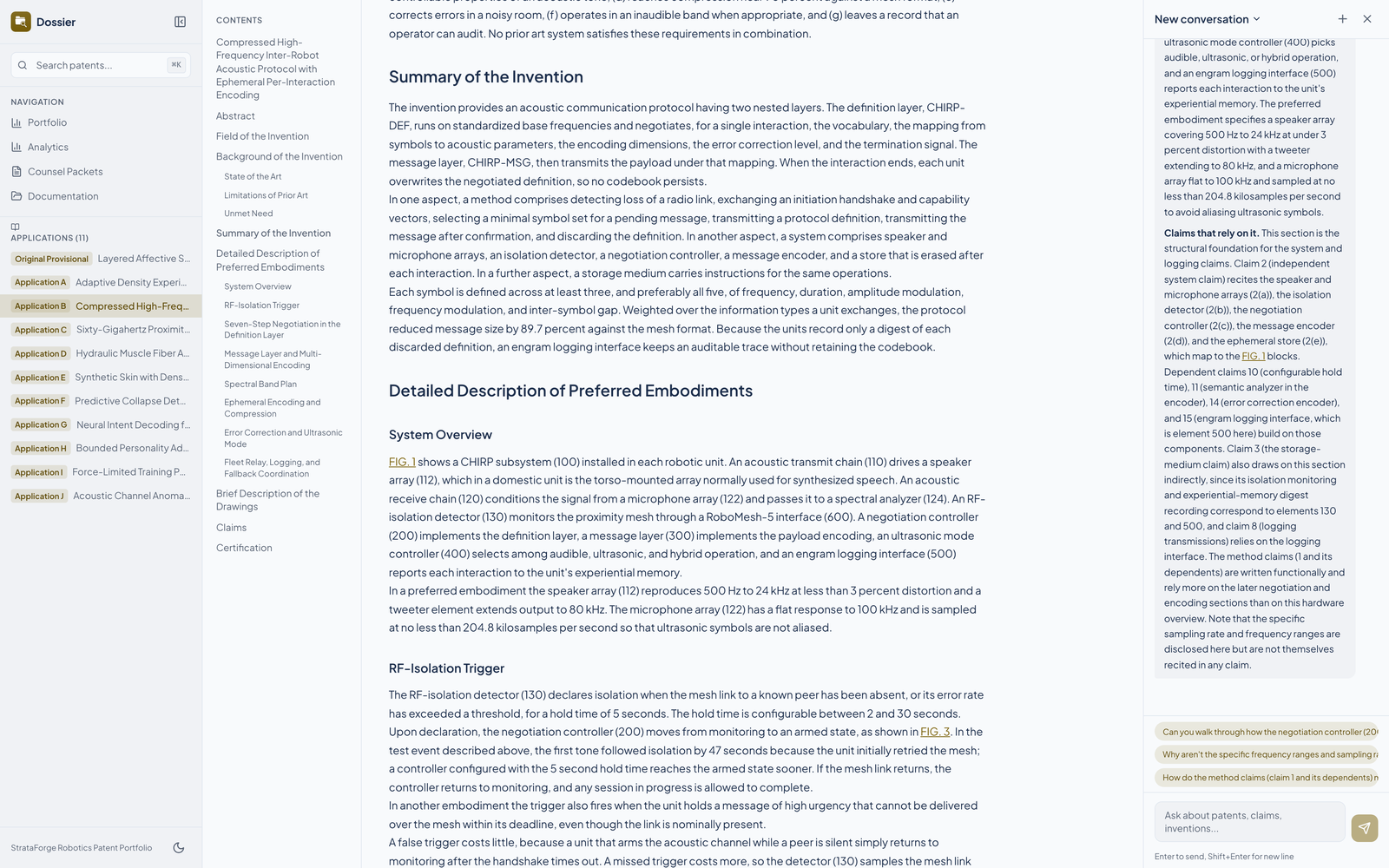
Chat

Dossier's chat panel beside a patent.Dossier's chat panel beside a patent.
A streamed answer about the section being read. Enlarge to see the full screen.