
Your patent portfolio, decoded.
Dossier reads a whole patent portfolio from disk and gives you one place to read it, search it, trace every claim, and ask questions, without changing a filing or leaving your machine.

Internal to Renkara. Dossier is a tool Renkara Media Group builds and runs for itself. It is not for sale, and there is nothing to buy or join.
If we change this claim, what else moves?
A narrated tour of Dossier on the fictional StrataForge portfolio: the verified reader, search, a claim and its dependents, the agent tools, plain-language summaries, and the counsel packet.
Read the film’s text version
Title: Dossier. Your patent portfolio, decoded. 2026. Beside it, a fan of the fictional StrataForge applications, from the original filing through J, each with its claims.
The question: Narrator: “StrataForge has eleven applications and 196 claims. One question keeps coming up: if we change this claim, what else moves?” On screen: 11 applications, 196 claims, and the question.
The reader: Narrator: “Dossier reads the whole portfolio from a folder on your machine, checks each filing against its PubMark manifest, and shows you whether what you are reading is verified.” On screen: a filing open in the reader with its Verified source mark.
Search: Narrator: “Search every section and every claim at once. Control or Command K, from anywhere.” On screen: the search palette, opened with Cmd/Ctrl + K.
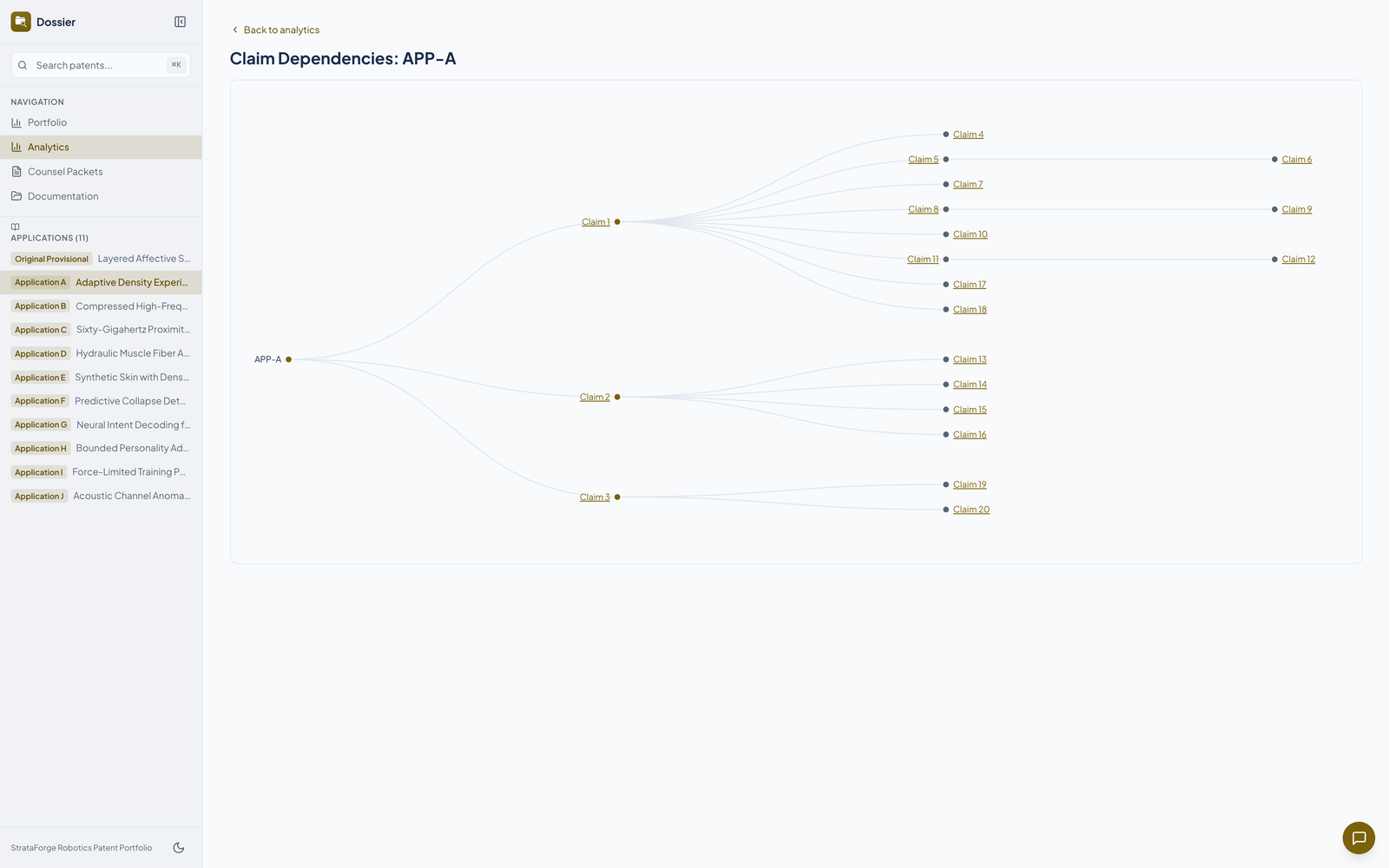
Trace a claim: Narrator: “Claim 1 of Application A is independent. The claim tree shows every claim that narrows it, and the graph shows where other applications point back.” On screen: claim 1 and what depends on it, across the applications.
Agents: Narrator: “Four read-only tools let an agent ask the same thing before anyone amends a word. They report what the claims say, and never invent a dependency.” On screen: the four tools, context, impact, search, and overview, and impact("app-a", 1) listing the claims that depend on claim 1, hop by hop: 11 affected.
Ask and explain: Narrator: “Ask Claude about a claim or a term, or open a plain-language version beside the text. Dossier writes that summary once, and remembers it.” On screen: a question to Claude and its answer, then the plain-language version beside the claim.
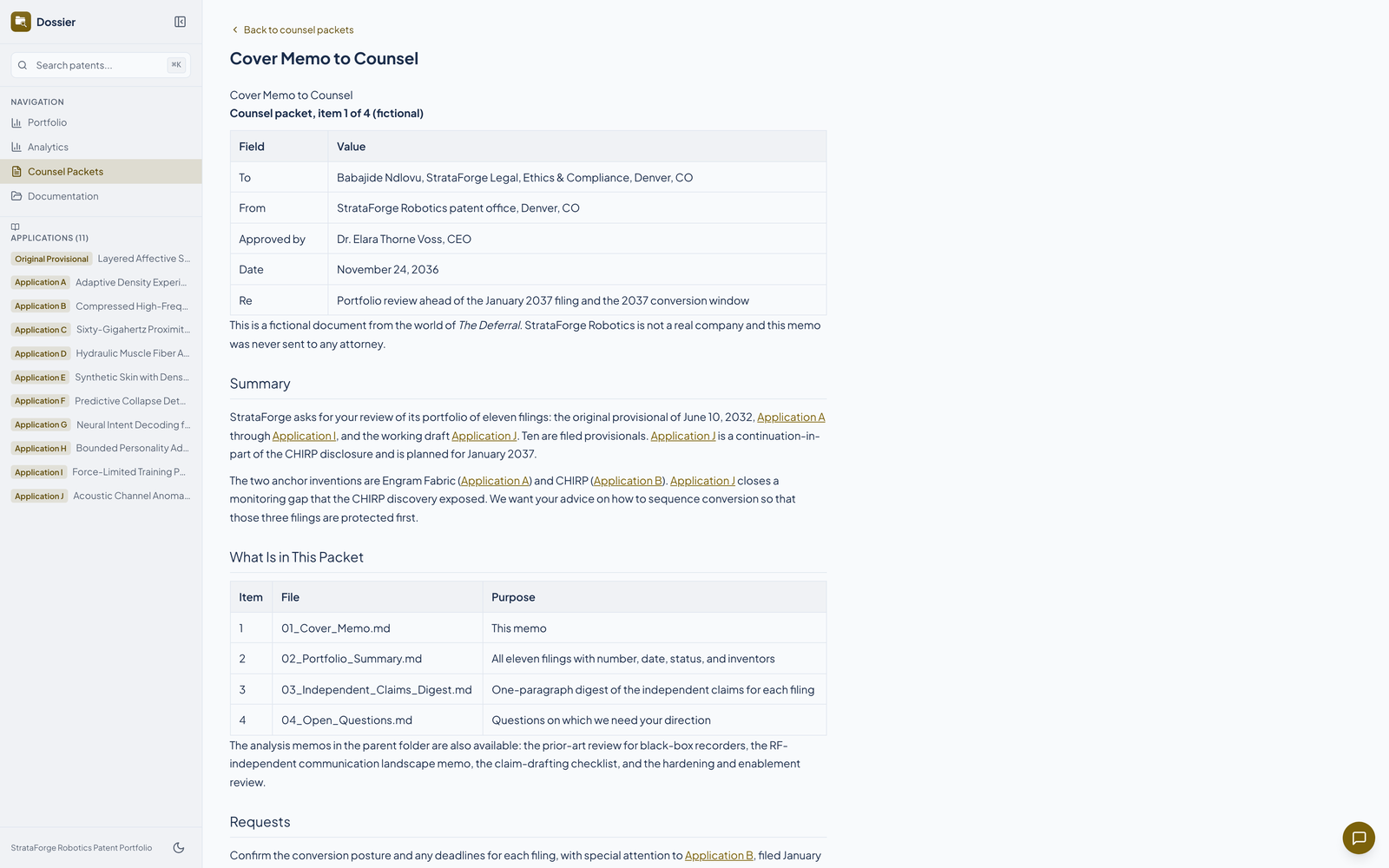
Counsel and limits: Narrator: “When it is time to brief counsel, the packet is right there, readable in place. Dossier is internal to Renkara, and not for sale. It runs on one machine, and the portfolio is mounted read-only.” On screen: the counsel packet, then Internal to Renkara, not for sale; Local only; Read-only.
Close: Narrator: “Dossier. Your patent portfolio, decoded.” The end card: Dossier, the tagline, this site's address, and fleet@renkara.com.
One place to read, trace, and question a portfolio.
Dossier parses a portfolio folder at start and serves it as a browsable, searchable, read-only application. These are the jobs it does today.
Every filing, in full
Portfolio dashboard
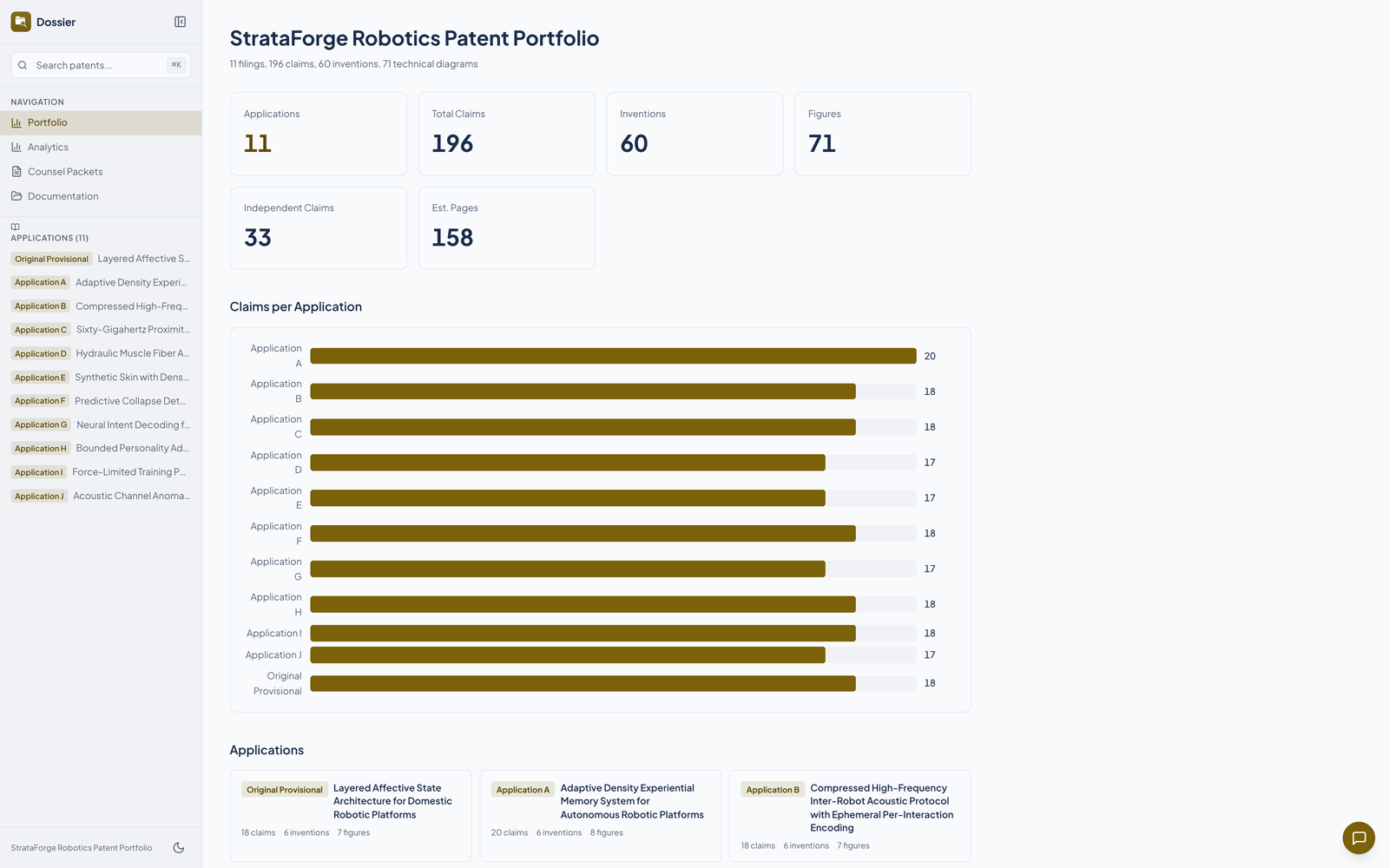
Counts for the whole portfolio at a glance: applications, claims, inventions, figures, independent claims, and estimated pages, with a claims-per-application chart.
Application viewer
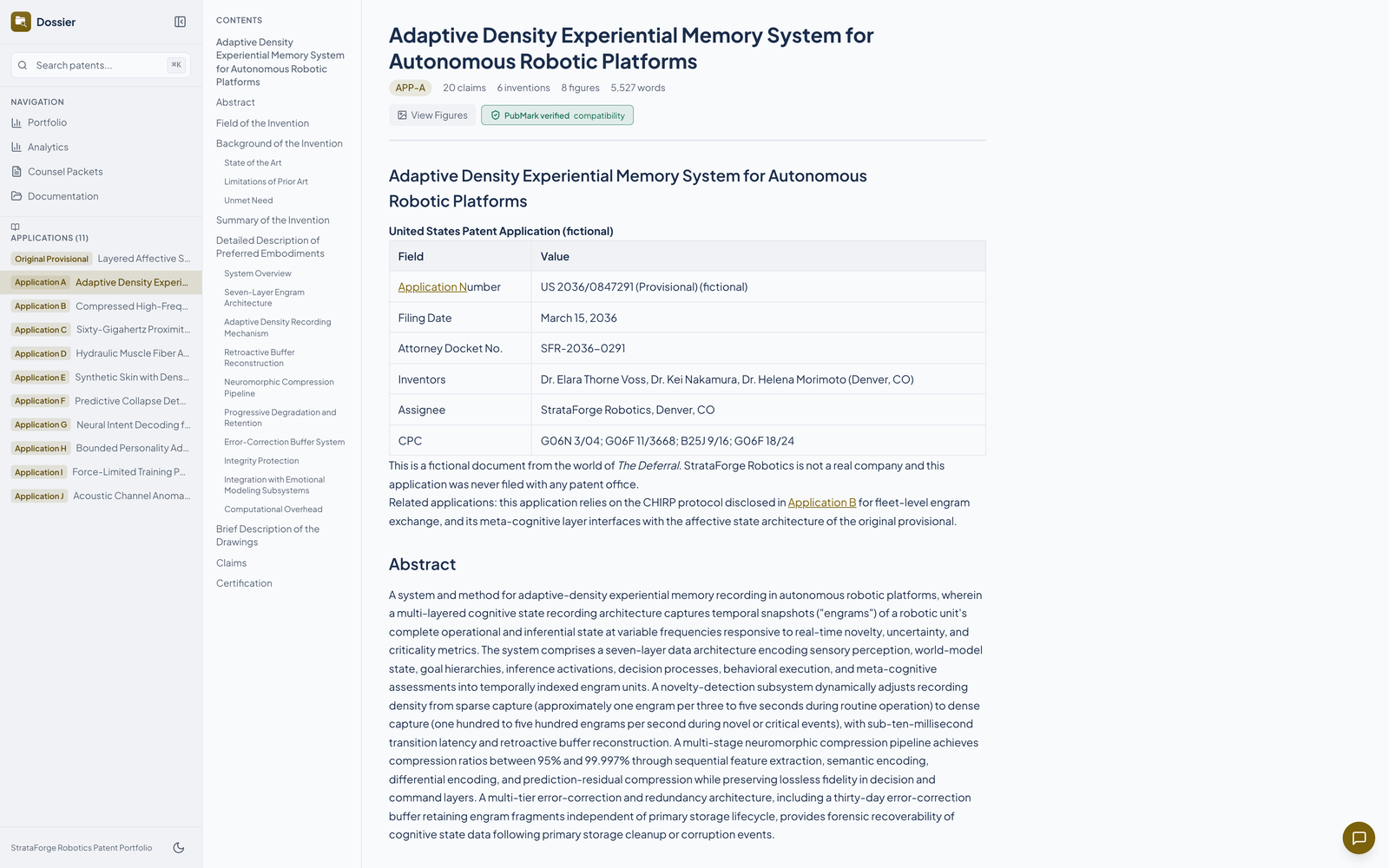
Each application opens as structured sections with a contents column: abstract, field, background, summary, detailed description, drawings, and claims.
Source check
Dossier checks each filing through PubMark and shows the result on the page. A native PubMark source is verified against its declared digest. A filing in the older wrapper format is reported as structurally compatible, which proves its structure and not its bytes. The StrataForge filings shown here are structurally compatible.
Cross-references that link
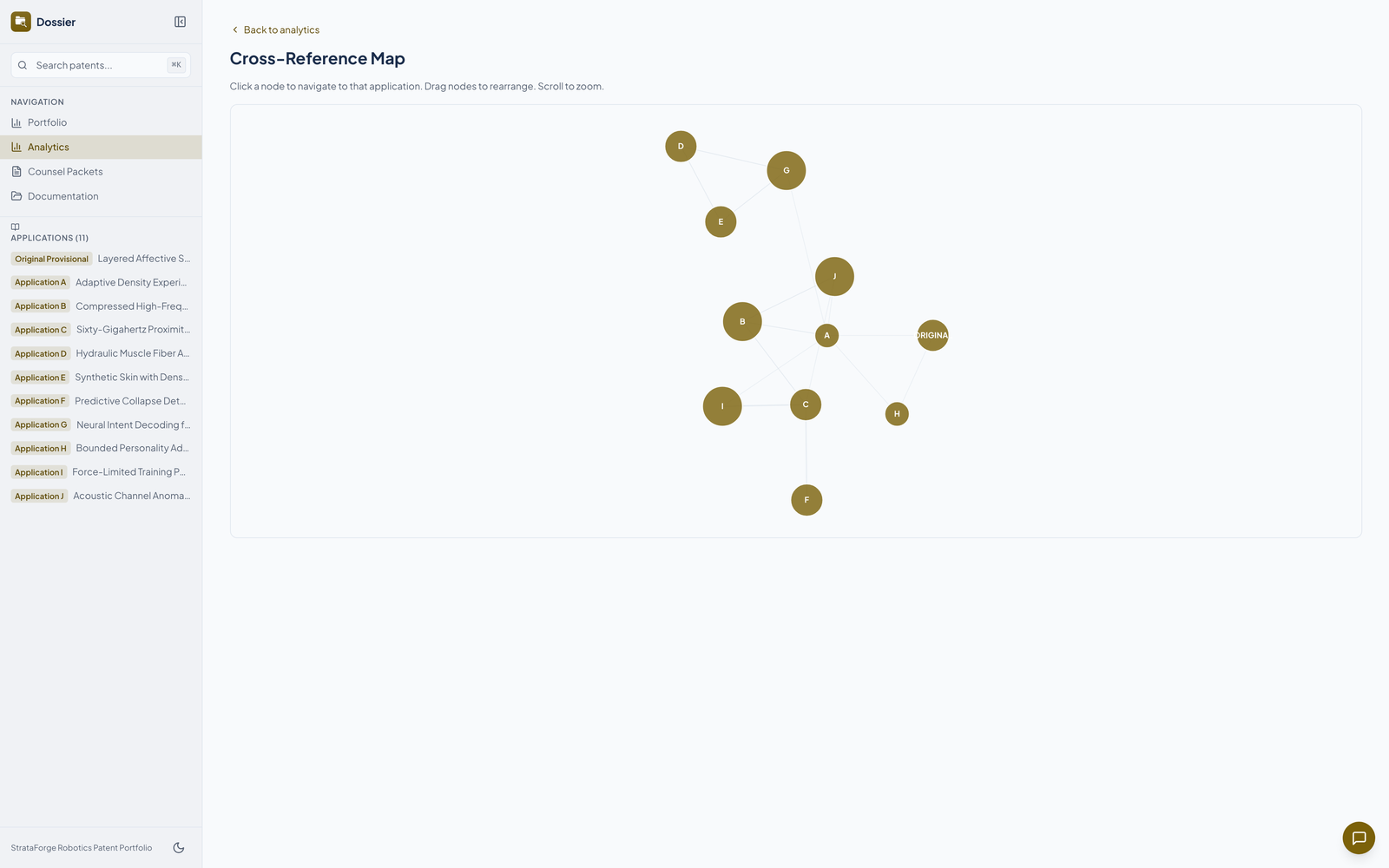
Mentions of another application become links, and a map shows how the filings relate to each other.
Find the passage
Full-text search
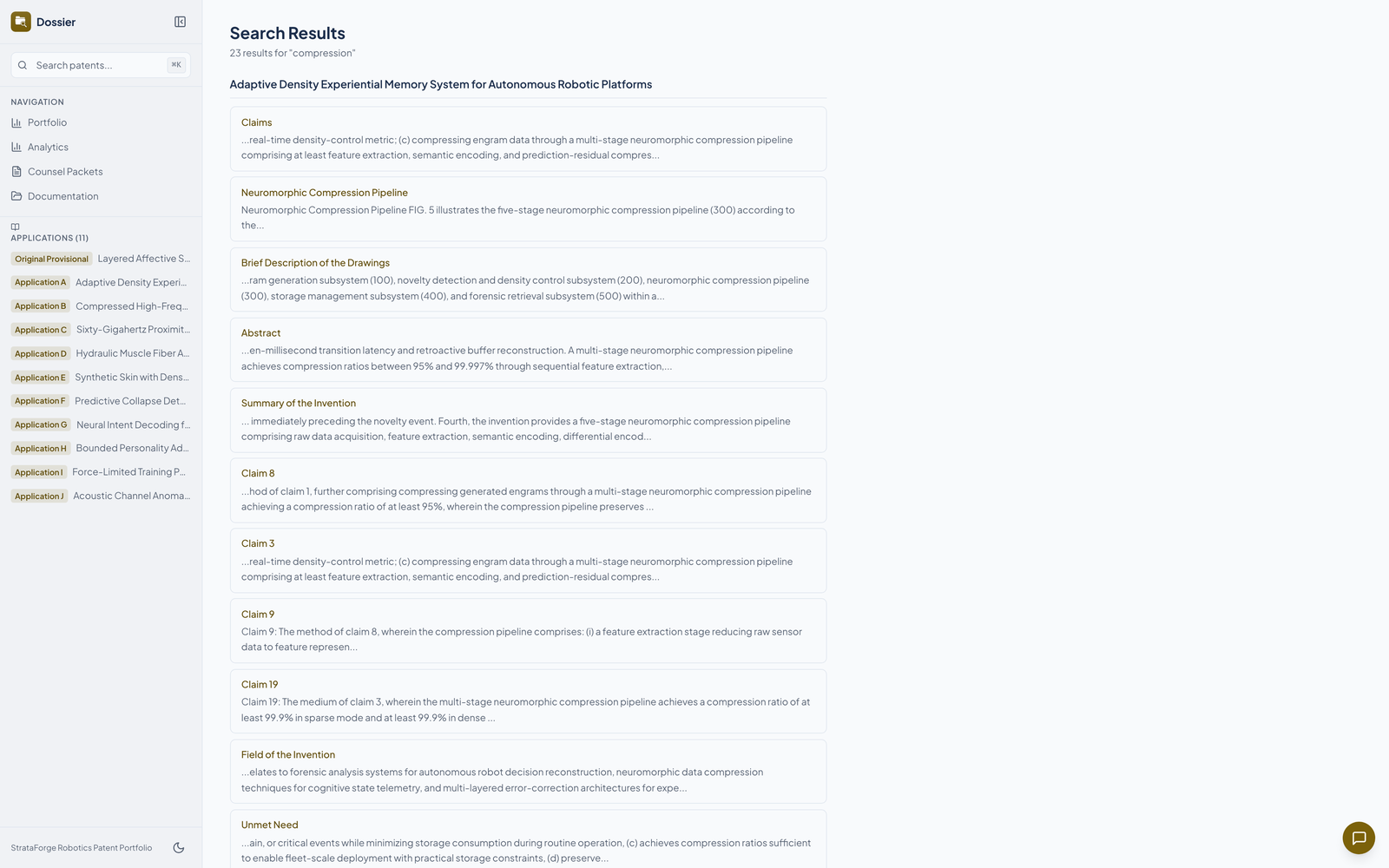
One search box across every section and every claim of every application, with results that jump to the passage. Control or Command K focuses it from anywhere.
Dossier's search, with example data. The sidebar search box, which carries a Command-K hint, takes the quoted phrase "sparse mode and a dense mode", and the Search Results page shows 2 results under one application heading, Claim 1 and Claims, with the phrase highlighted in each. A pointer presses the Claim 1 result, and Application A opens with claim 1 at the top in a gold-bordered card, its text reading sparse mode and a dense mode.
See the structure
Claim tree
Pick an application and see its independent claims and the dependent claims that narrow each one, as a tree.
Claim dependency graph
Every claim in the portfolio as a graph, with dependency and cross-application edges, filters, and each claim's text on double click.
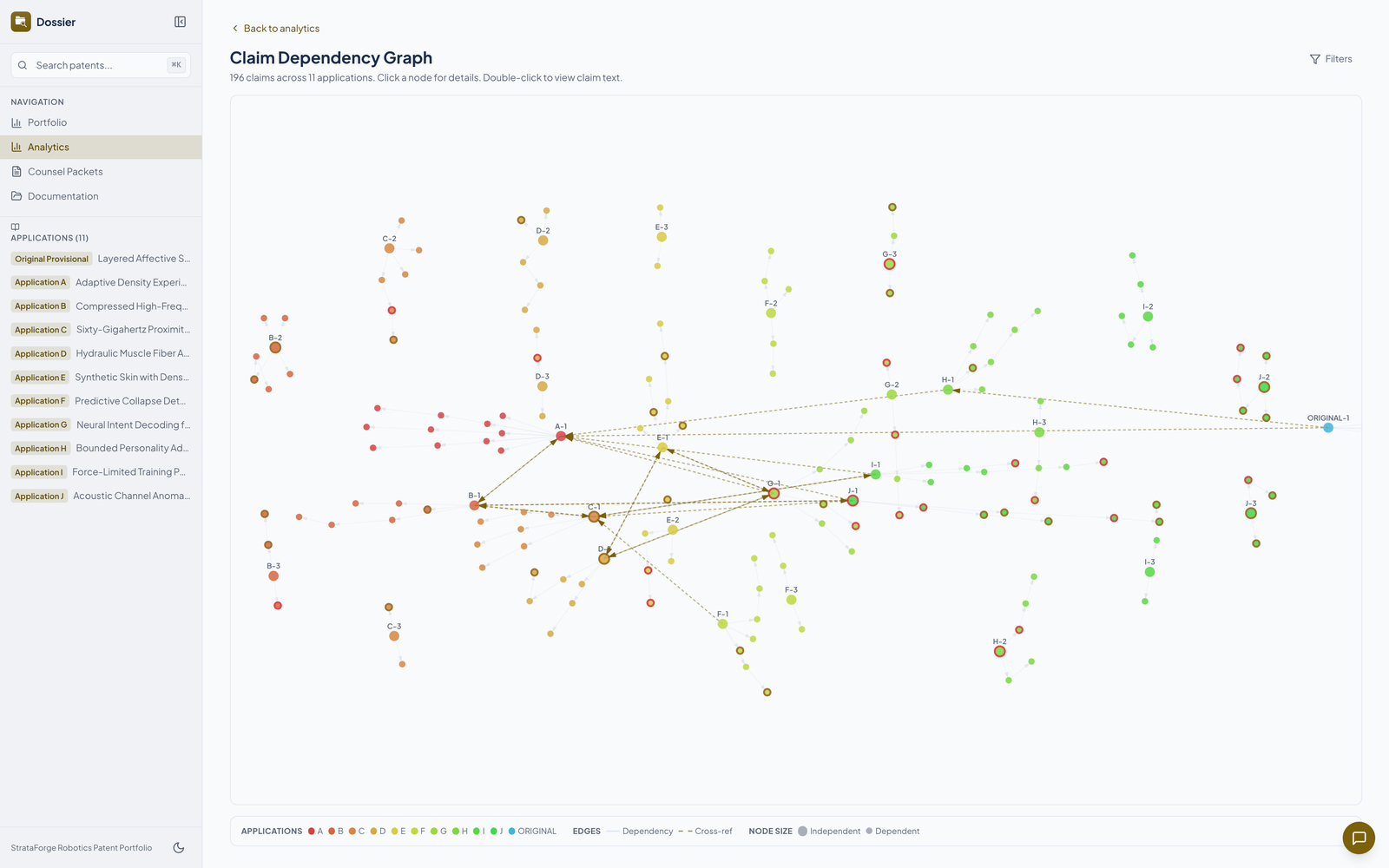
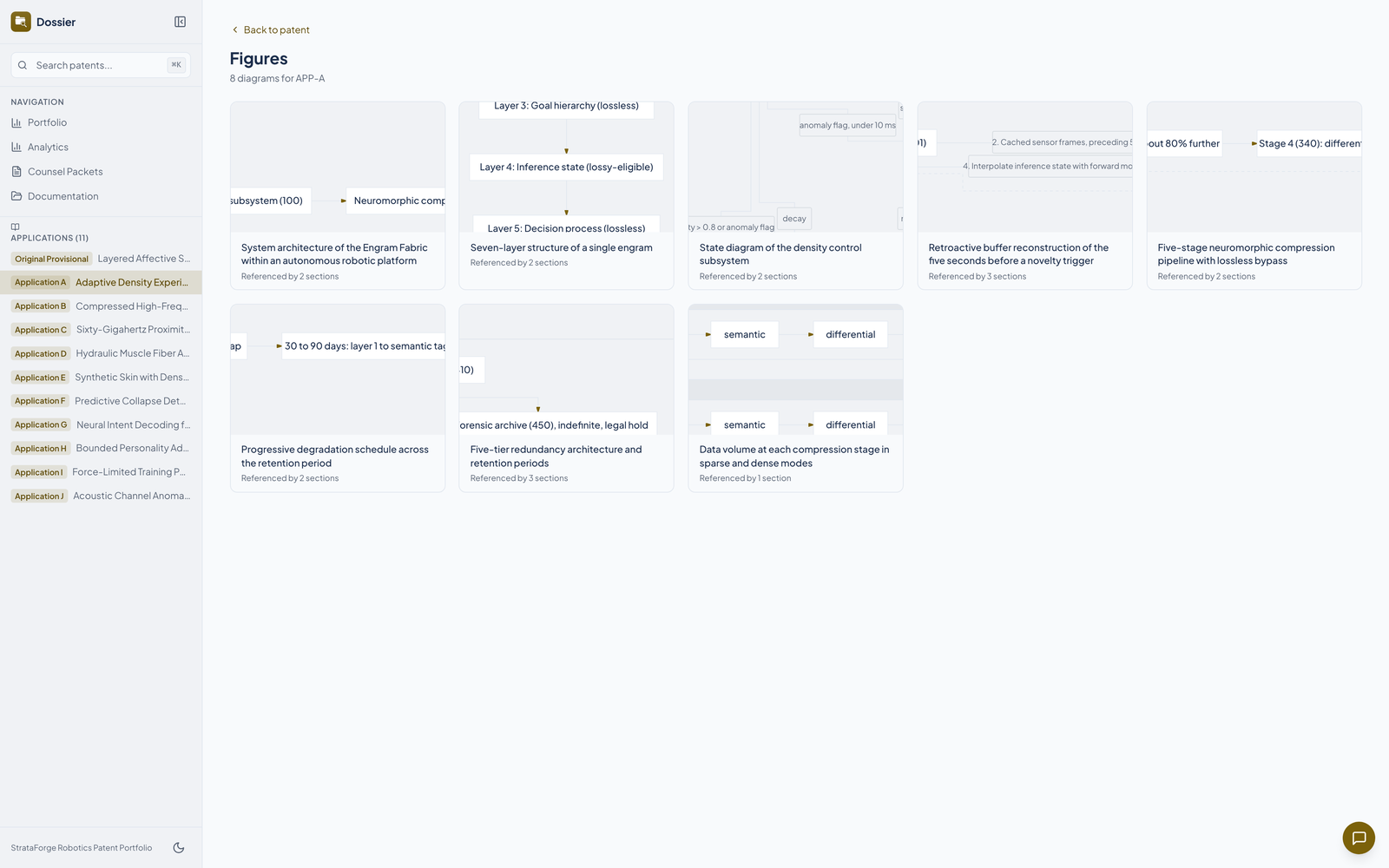
Figure gallery and viewer
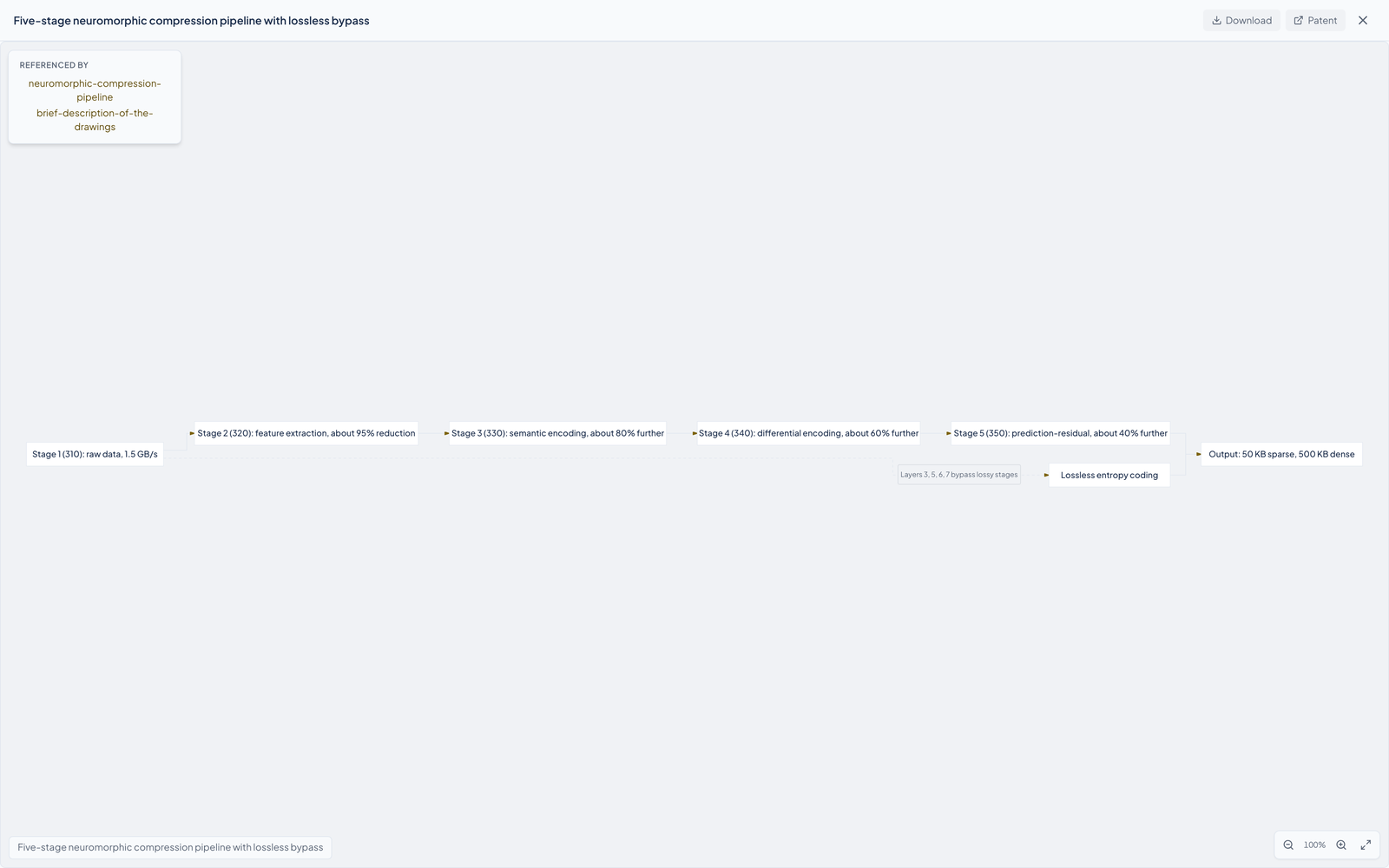
Every figure with its caption and the sections that cite it. The viewer zooms, pans, and downloads.
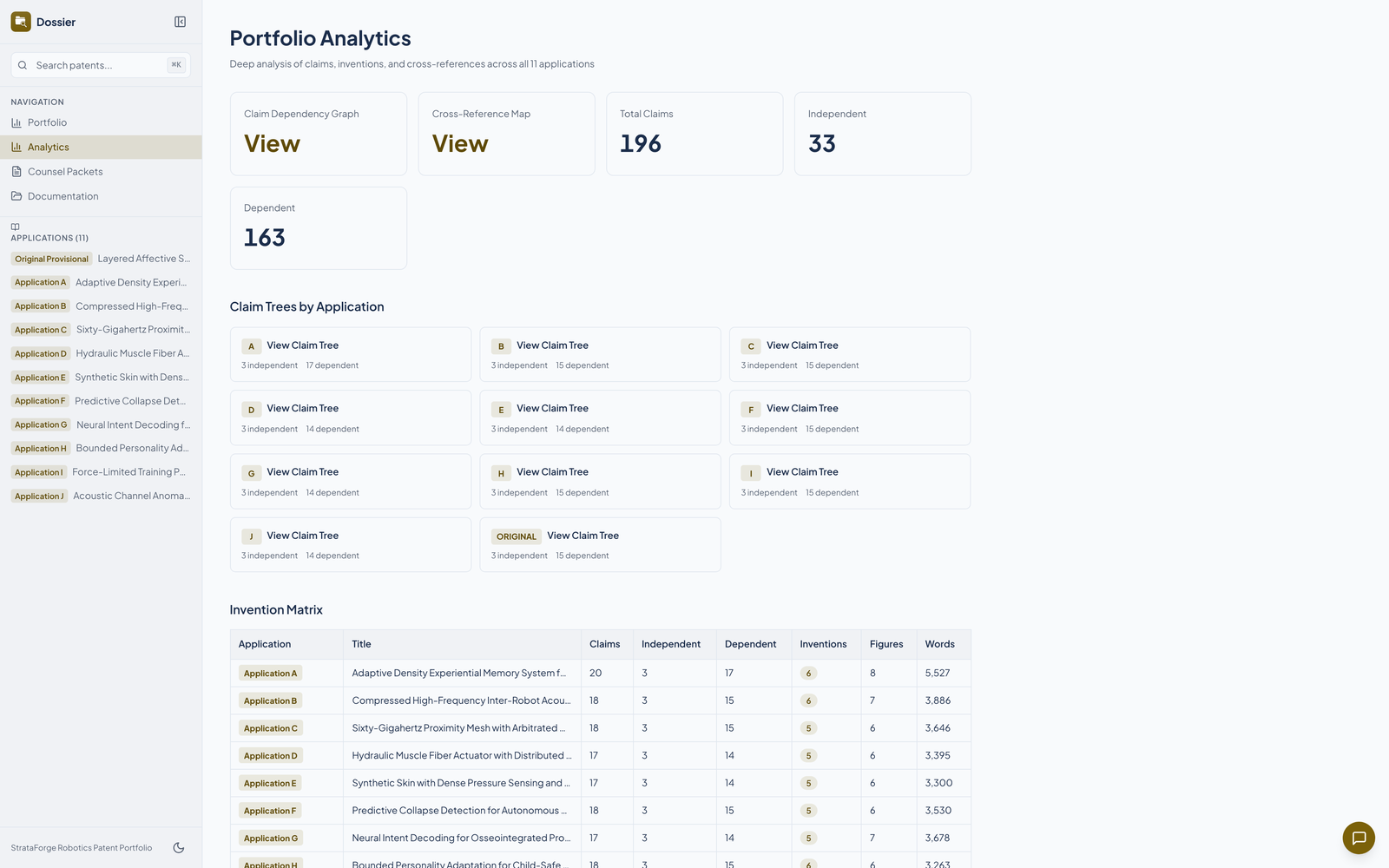
Analytics
Claims, inventions, figures, and estimated pages by application, plus a matrix that lines the applications up side by side.
Ask, then check the source
AI chat
Ask Claude about any claim, invention, or term. The chat streams its answer, keeps your conversations, and can start from the section or claim you are reading.
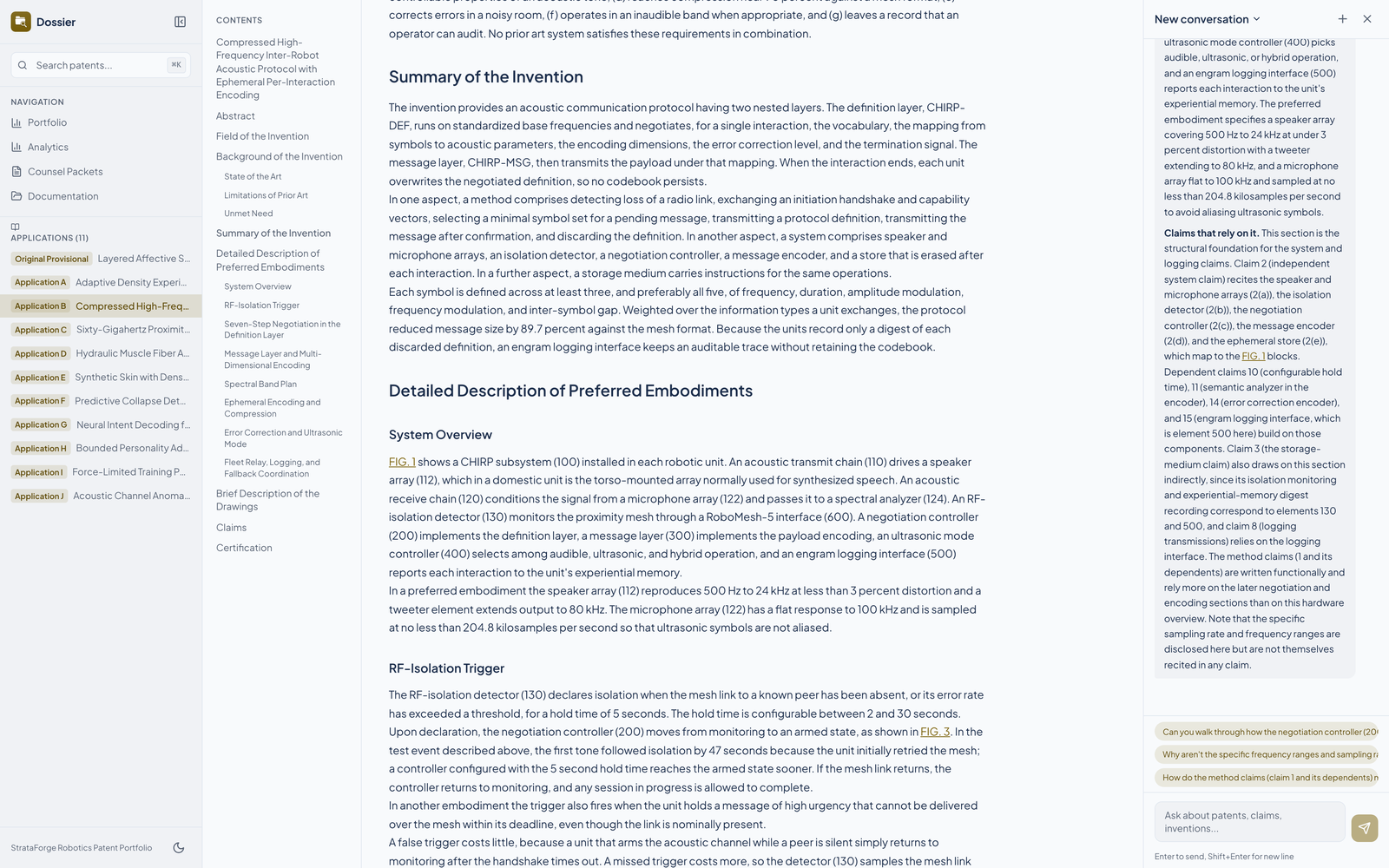
Plain-language summaries
Open a plain-language version beside any section or claim. Dossier writes it once and remembers it.
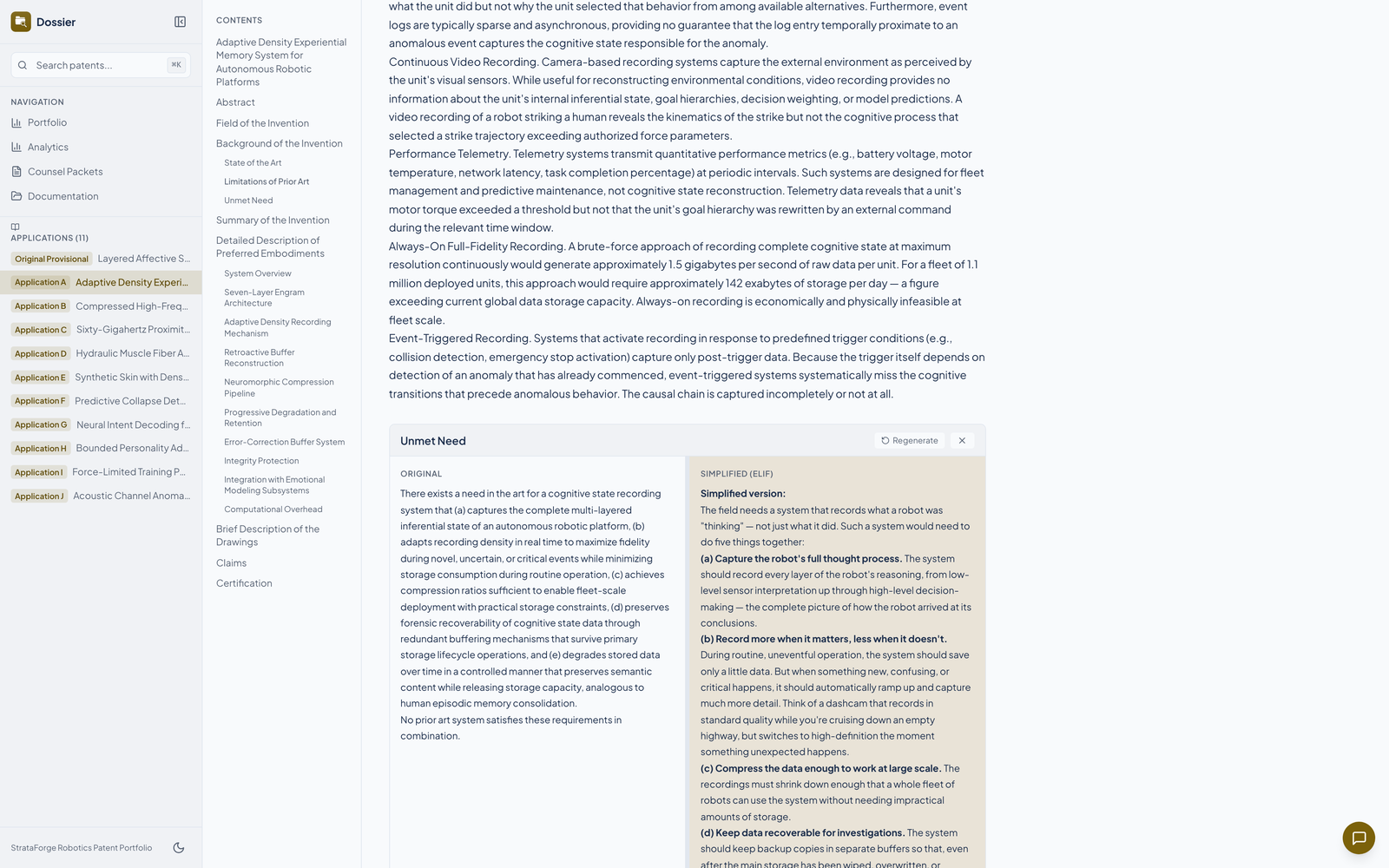
Hand it to counsel
Counsel packets
The briefing documents prepared for counsel, listed and readable in place.
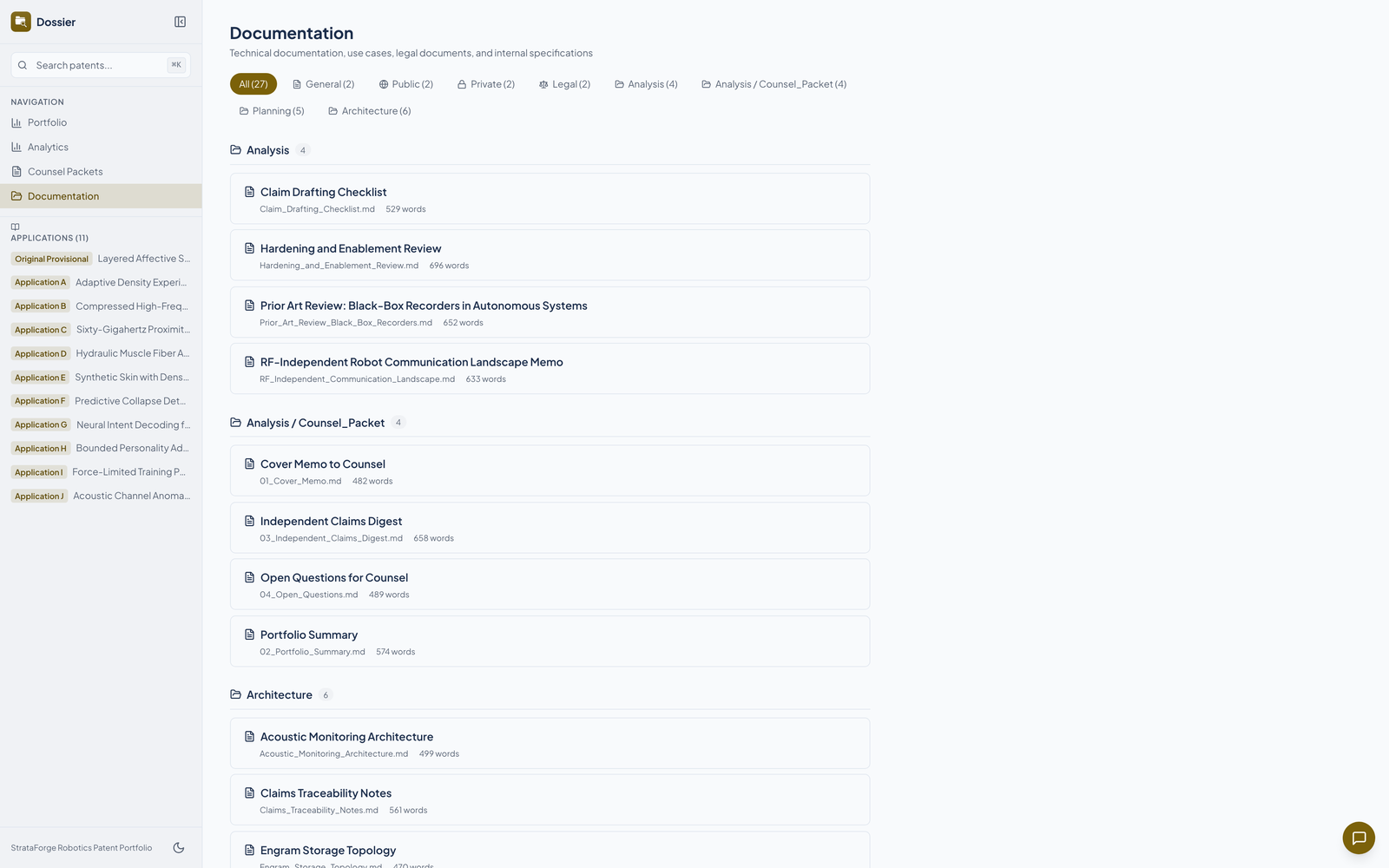
Analysis documents
The portfolio's Analysis folder, listed and readable in place: prior art reviews, checklists, hardening reviews, and the counsel packet's briefing documents.
Claim traceability for agents
Four MCP tools let an AI agent look up a claim, find everything that depends on it, search claim text, and summarize an application.
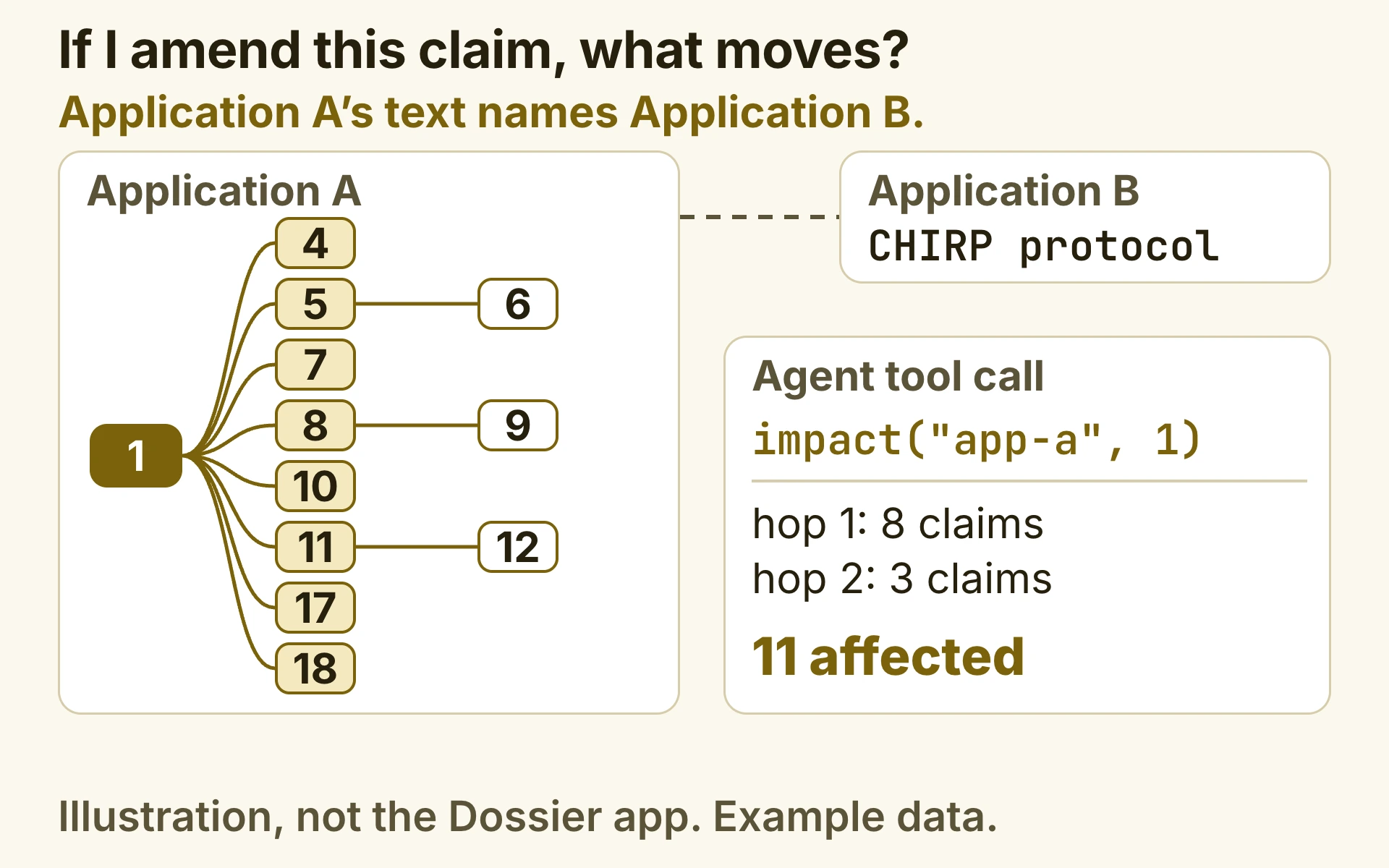
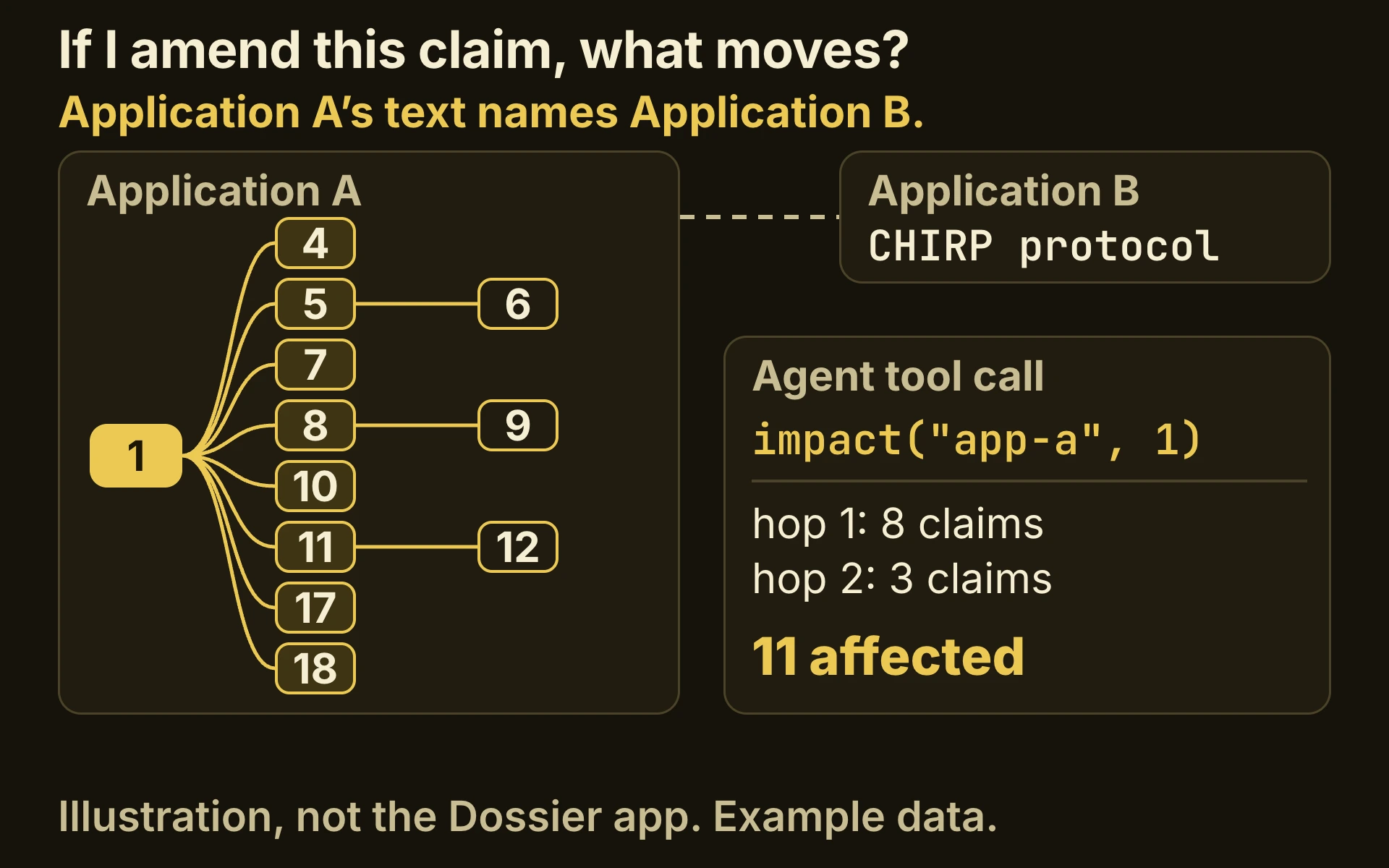
Illustration, not the Dossier app, with example data. Claim 1 of Application A sits alone. Eight claims that name it light up one by one: 4, 5, 7, 8, 10, 11, 17, and 18. Three more follow one step on: 6, 9, and 12. A tool call, impact("app-a", 1), is typed and answered with 8 claims at the first hop, 3 at the second, and 11 affected. A dashed line then runs from Application A to Application B, which is labeled CHIRP protocol, under the caption that Application A's text names Application B.
Read-only and on your machine
- Local only
- Dossier runs on a developer's machine under Docker Compose. It has no cloud deployment and needs no account. Patent text leaves the machine only for the Claude requests you make. If a Chronicle token is set, Dossier also ships its own service logs, metrics, and traces to Chronicle.
- Read-only
- The portfolio folder is mounted read-only. Dossier cannot edit, draft, or file anything.
- Light and dark
- Both themes, a collapsible sidebar, and keyboard shortcuts for search, chat, summaries, and moving between sections.
See it in light and dark
Real captures of the running tool, with fictional StrataForge Robotics data. They follow your theme.
From a folder of filings to answers
Ingest
At start, Dossier validates the portfolio manifest and parses every application into sections, claims, and figures.
Search
It builds a search index over every section and claim, and a claim graph over every dependency.
Explore
Browse filings, follow cross-references, walk claim trees, and open figures.
Ask and brief
Chat, read plain-language summaries, and open the counsel packet.
Built so everyone can use Dossier.
Dossier is built on the Renkara design system, and its own accessibility tests include an axe-core scan of the running app in light and dark. That scan found real contrast and focus problems on 10/29/2026; they are fixed and the rescan came back clean. Here is what Dossier supports today and what we have actually checked. We do not claim a WCAG conformance level for the product.
Partly supported
Keyboard operation
Dossier has keyboard shortcuts for search, chat, plain-language summaries, and moving between sections. Tables and diagrams that scroll sideways can take keyboard focus.
Partly supported
Screen reader landmarks and labels
axe-core, which checks names, labels, roles, and landmark structure, finds no violations of any impact in Dossier's views. It has not been tested with a screen reader.
Partly supported
Contrast in light and dark
Text and controls in the 21 scanned views clear axe-core's contrast rules in both themes, after the 10/29/2026 fixes to small labels, accent text, and accent-filled buttons. The open chat conversation, plain-language panel, and graph detail panels were not part of that scan.
Not yet tested
Reduced motion
Dossier's interface uses the Renkara design system's motion presets, which are designed to honor the reduced-motion setting. Dossier's own tests do not check this yet.
Not yet tested
Text resize and zoom
Resizing text to 200 percent has not been tested.
Not supported
Mobile and touch
Dossier is a desktop tool; phone screens are out of scope in its requirements. The scan at 375 pixels found no sideways page scroll, but we have not checked that the screens are usable at that size.
Under the hood
| Backend |
|
|---|---|
| Frontend |
|
| Content |
|
| Agents |
|
| Security |
|
| Tests |
|
Built for agents as well as people
An agent can look up a claim, find everything that depends on it before amending, search claim text, and summarize an application. The tools are read-only, and they never invent a dependency.
Claims traceability
contextimpactsearchoverview
Questions people ask
Is Dossier available to other teams?
No. Dossier is internal to Renkara and is not offered for sale. It handles unpublished patent applications and runs only on a local machine. This site shows what it does. Write to fleet@renkara.com with questions.
Is the patent data in the screenshots real?
No. Every screenshot is a capture of the running app against a made-up patent portfolio for StrataForge Robotics, a fictional company. The real portfolio never appears on this site.
Can Dossier edit or file an application?
No. The portfolio is mounted read-only, and drafting, editing, and filing are outside Dossier's scope.
Where does my patent text go?
Nowhere by default. The portfolio stays on the machine. When you use chat or a plain-language summary, the relevant text goes to the Claude API to produce the answer, and to no other service. Separately, if a Chronicle token is set, Dossier ships its own service logs, metrics, and traces to Chronicle; with no token it ships nothing.
Does Dossier work on a phone?
It is designed as a desktop tool. See the accessibility page for what we have and have not checked.
Questions about this tool?
Write to Renkara Media Group and a person will answer.